Vibseek StudioVibseek Studio

Sample & Project Discovery for Producers

Make music by discovering your local samples as a visual map.

See your entire sample library of loops and one-shots in one view. Create step sequences on the fly. Organize your DAW projects and track your music-making habits.

Runs 100% locallyNo cloud uploadsYour music never trains AIProducer-first, built in Berlin
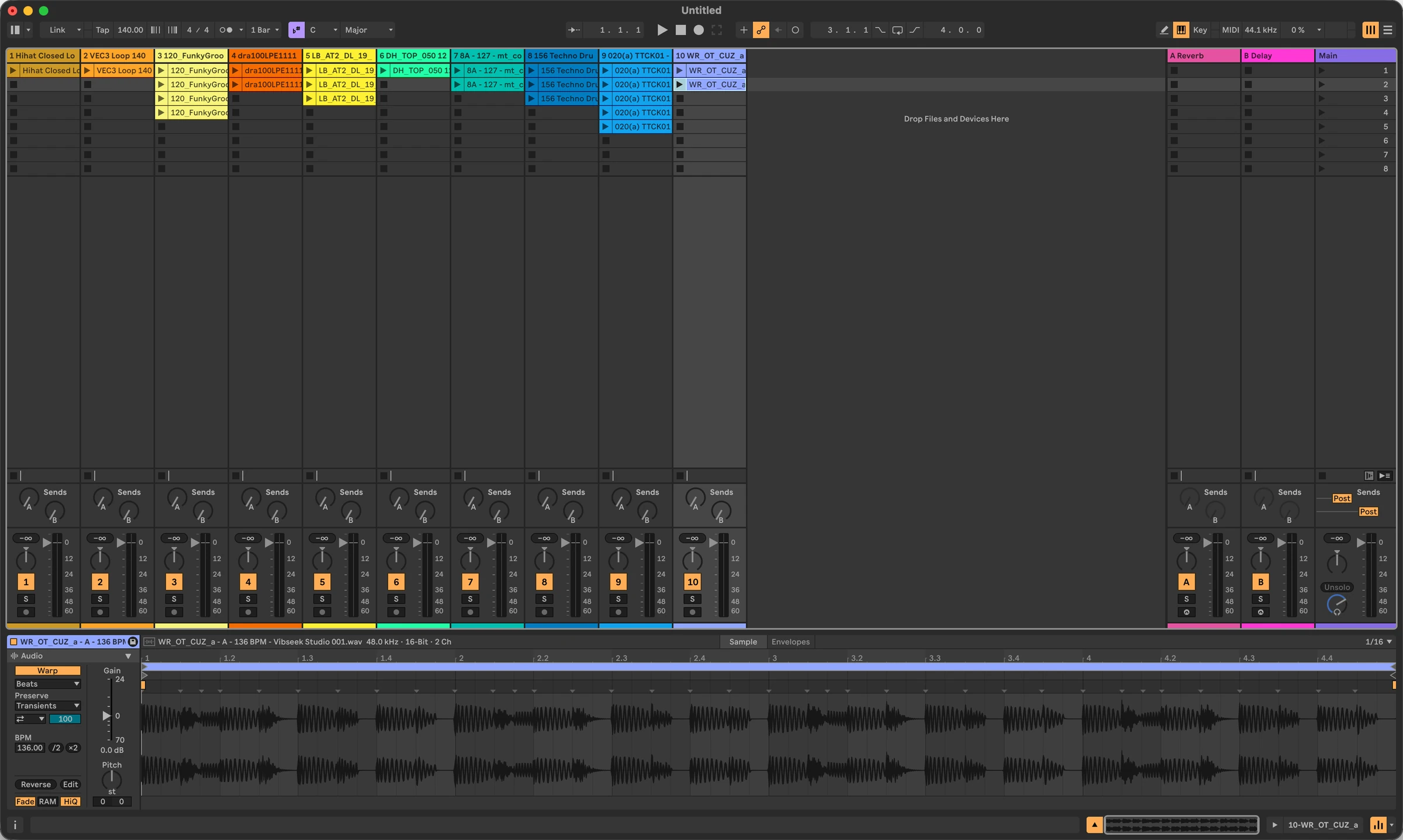
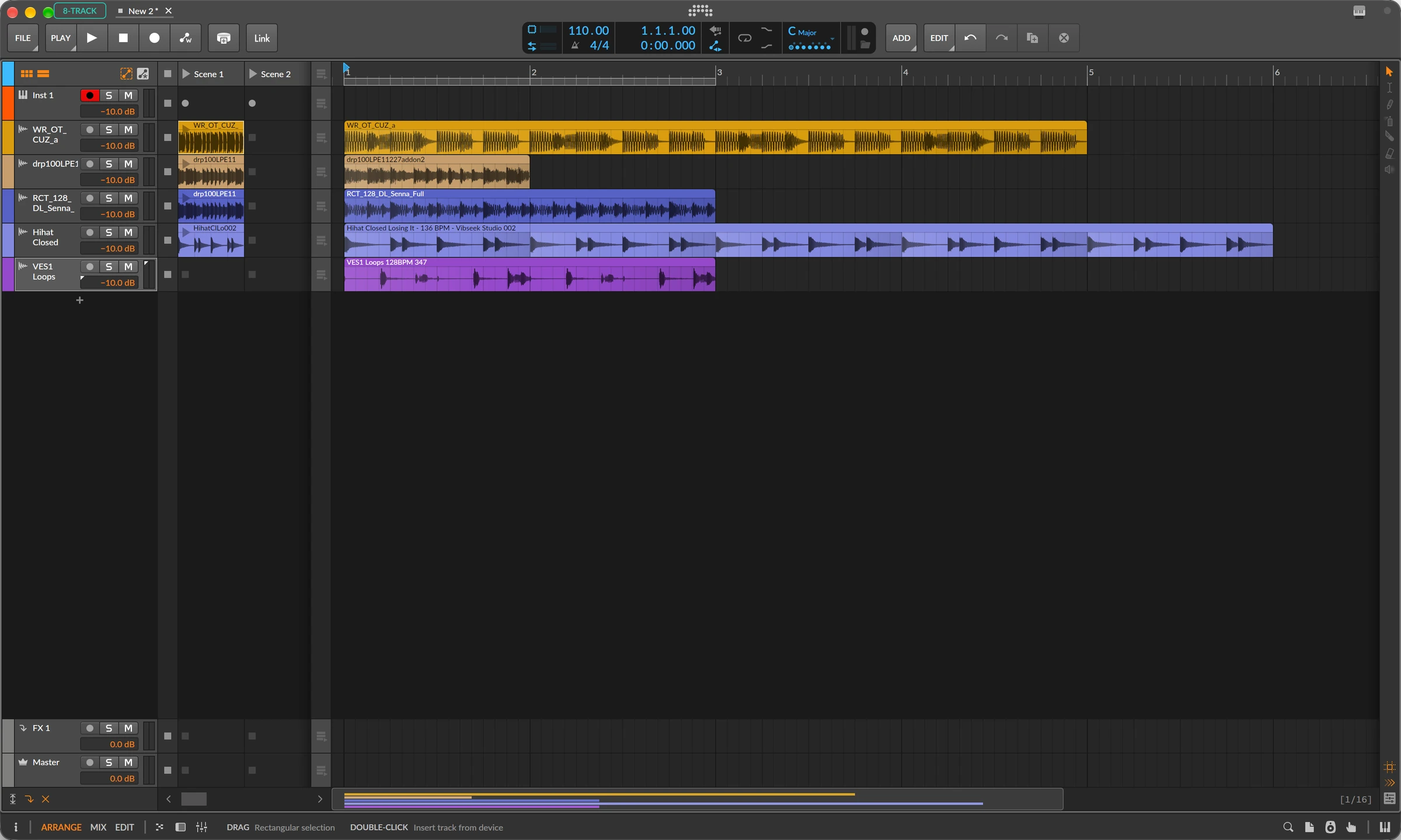
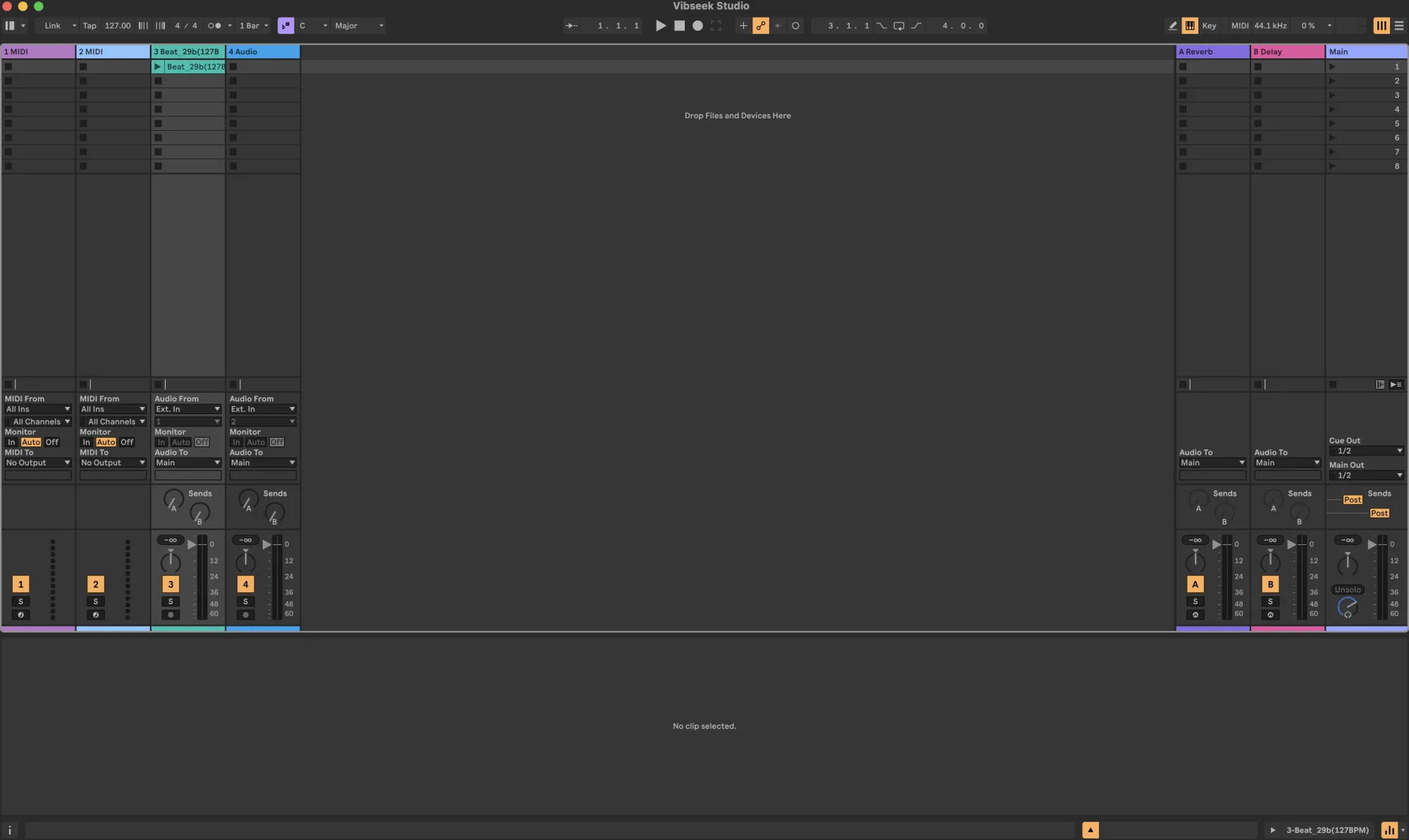
Ableton Live Session View with drum, hi-hat, top and techno loop clips dragged in from Vibseek Studio, warped to 136 BPM
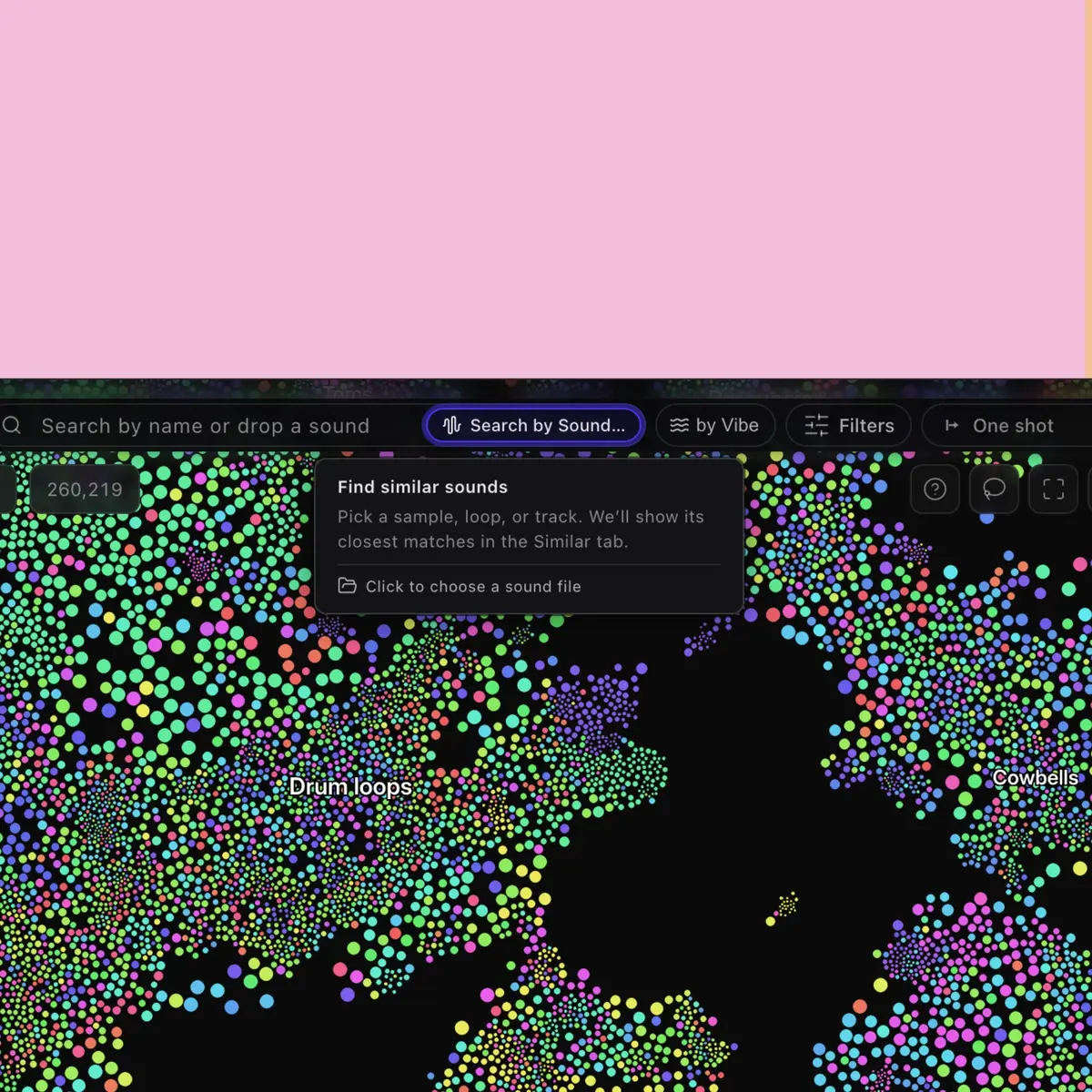
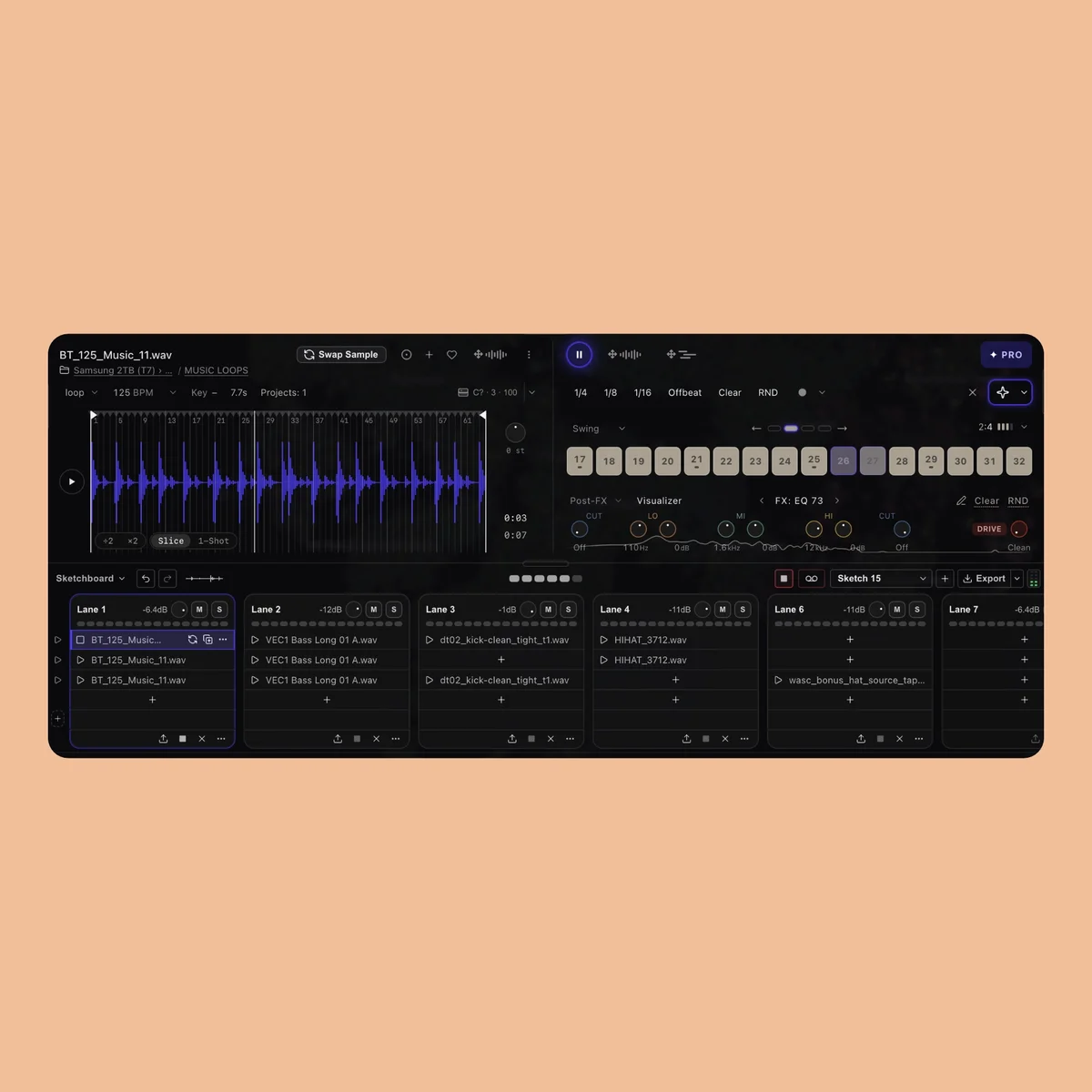
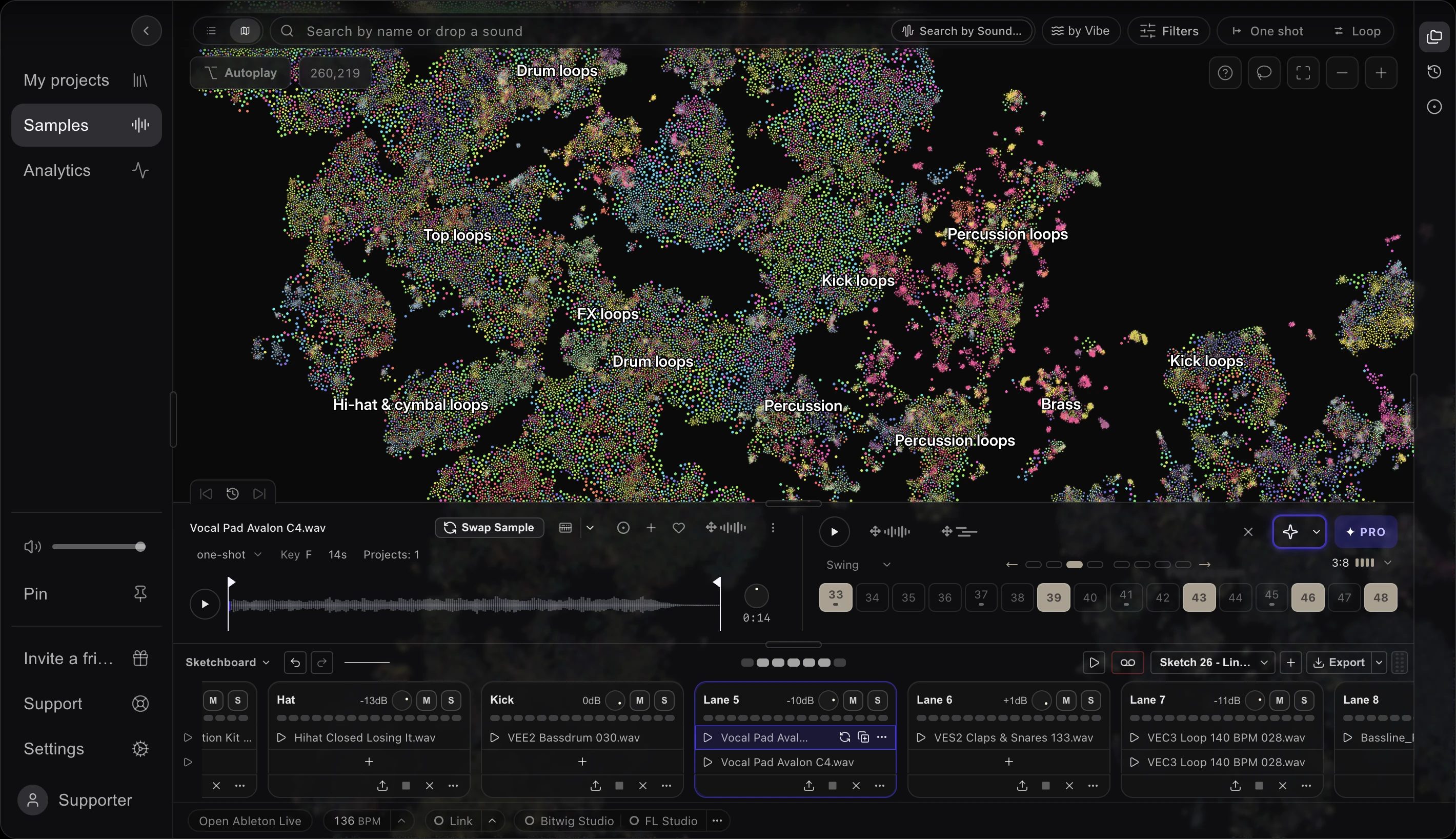
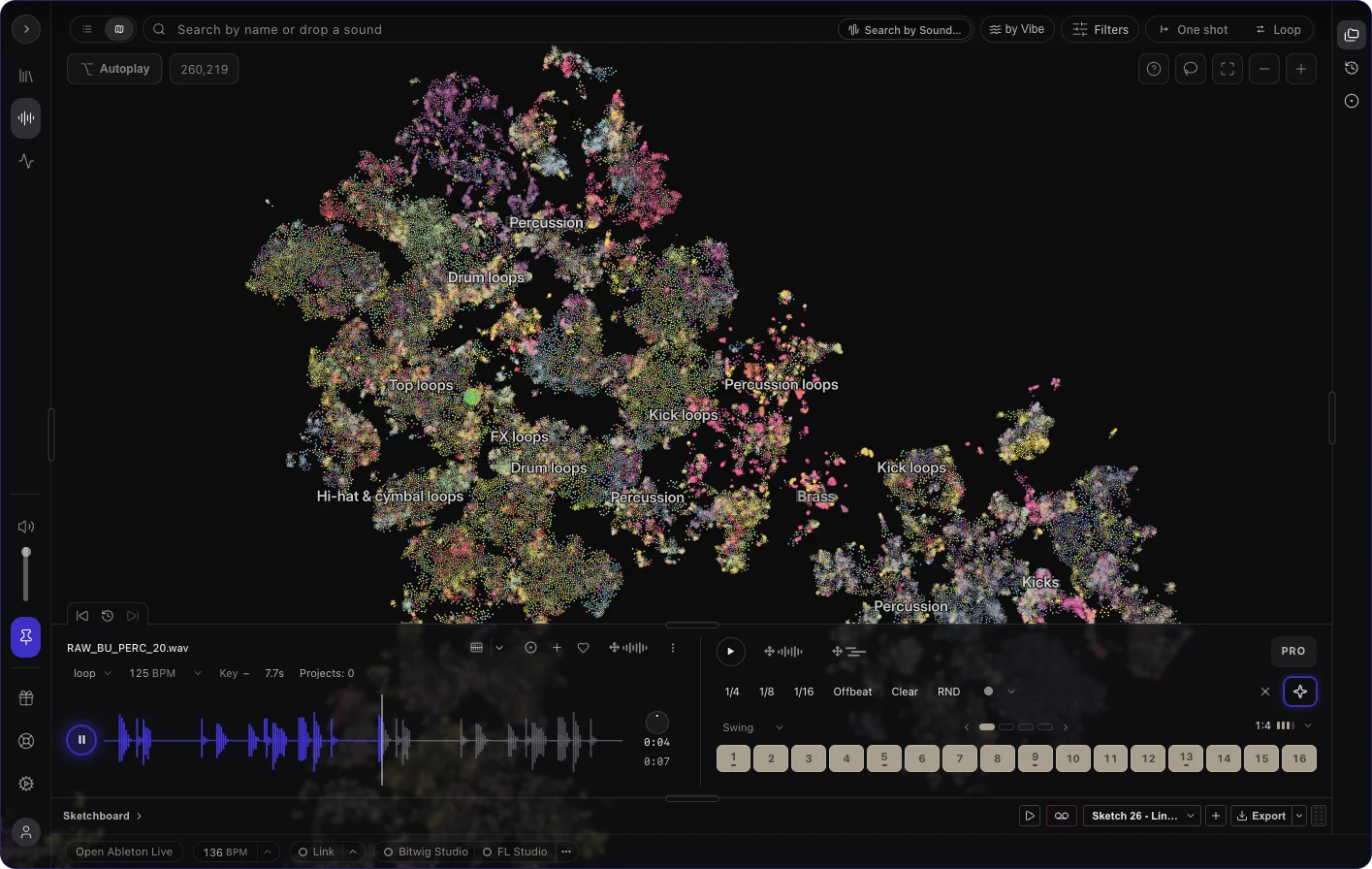
Vibseek Studio sample manager showing a local sample library as a visual map of drum, kick, hi-hat, cymbal, percussion, brass and FX loops grouped by sound similarity, with a waveform preview, a multi-bar step sequencer, swap sample and a sketchboard of lanes for building loops to drag into your DAW
ClickHERE

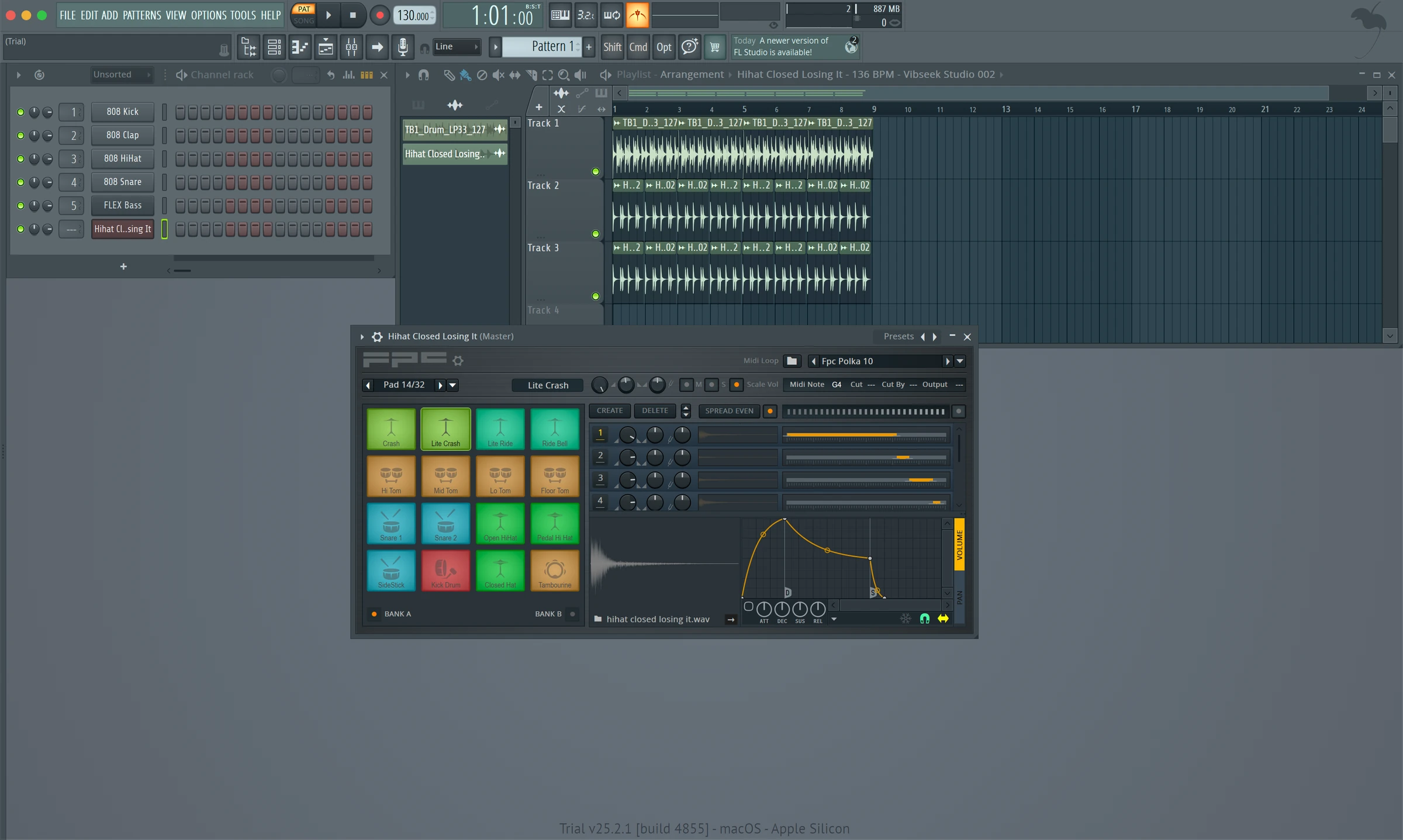
Works with any DAW, including

See it in action

A quick walkthrough: import your sample folders, find sounds on the map, sequence them and drag them into your DAW.

Rediscover forgotten samples, even if your folders are a mess.

Samples from different folders all in one sample map. Organized based on similarity. Find loops and one-shots quickly by hovering. Do more with the sounds that you already have.

Vibseek Studio sample manager showing a local sample library as a visual map of drum, kick, hi-hat, cymbal, percussion, brass and FX loops grouped by sound similarity, with a waveform preview, a multi-bar step sequencer, swap sample and a sketchboard of lanes for building loops to drag into your DAW

How it works

Import sample folders, preview sounds by hovering, create step sequences, and drag samples or loops directly into your DAW.

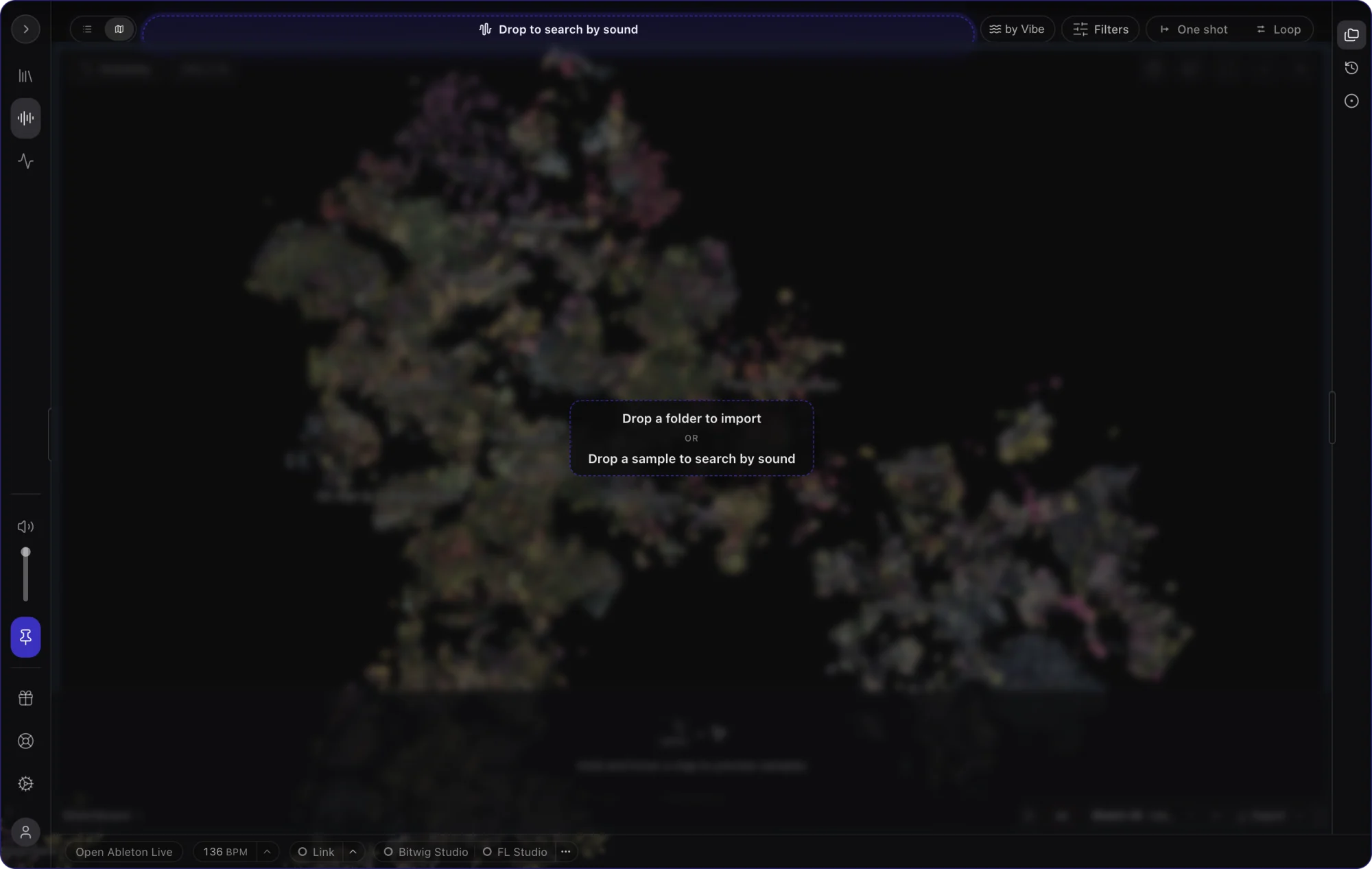
  1. Vibseek Studio sample map with sounds grouped by typeVibseek Studio drop screen: drop a folder to import, or a sample to search by sound
    Drum Breaks

    Studio finds your sample folders and maps every sound by how it sounds. Add or remove folders any time.

  2. Hover to hear samples in sync with your DAW. Turn a one-shot or loop into a pattern, change pitch or reverse per step, or randomize for new ideas.

  3. Drag raw samples or sequenced loops straight into your project. Patterns arrive as audio.

    Works with Ableton Live, Logic Pro, FL Studio, Bitwig and any other DAW.

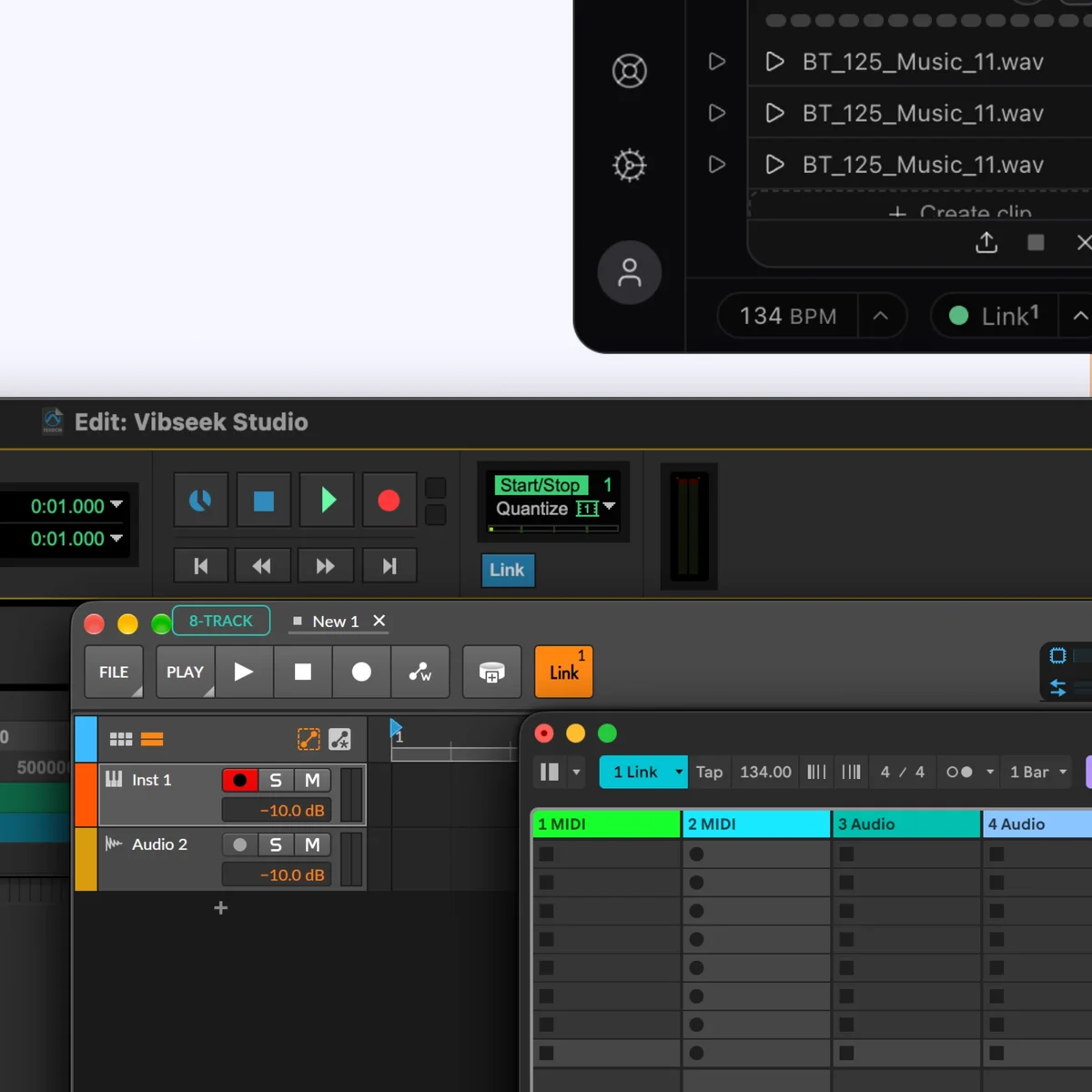
Vibseek Studio at 134 BPM with Link on, above Pro Tools and Bitwig Studio with Link enabled at the same tempo

In sync with your DAW

Turn on Link in Studio and in your DAW, and both play at the same tempo, on the same beat.

  • Works with Ableton Live, Bitwig Studio, Pro Tools and Reason.
  • Start and stop together, at any tempo.
  • Jam with friends: sync Studio on several computers on the same network.

Studio can also follow your DAW over MIDI clock.
From one sound to a finished track.

Sketch ideas from loops, one-shots and your own recordings, then take them into your DAW or build on top of a project you already have.

Sequencer

4,294,967,296Every step can be on or off, forward or reversed, and pitched anywhere from −24 to +24 semitones.Use just 4 of those choices on 16 steps and you already get 4,294,967,296 patterns.Play one every second, and you'd finish in 136 years.With every modifier and effect in Sequencer Pro, you'd be playing for billions of billions of billions of years. The universe is only 14 billion years old.new ideas from 1 one-shot sample,
in just 1 bar.Every step can be on or off, forward or reversed, and pitched anywhere from −24 to +24 semitones.Use just 4 of those choices on 16 steps and you already get 4,294,967,296 patterns.Play one every second, and you'd finish in 136 years.With every modifier and effect in Sequencer Pro, you'd be playing for billions of billions of billions of years. The universe is only 14 billion years old.

Shape any sample you pick, one-shot or loop. Set trigs, go up to 8 bars or a custom length for polyrhythms.

  • Start from a rhythm, or randomize for a new one.
  • Swing from straight to dotted.
  • Copy and paste a pattern as MIDI, or drag and drop it as audio.

Tape Sampler

Create your own samples the moment inspiration hits. Record anything, with no plugins, no routing and no setup.

  • Record Spotify, YouTube, a mic, a synth or Studio itself.
  • BPM and key are set automatically.
  • Sequence recordings like any other sound.
  • Record a sound you like and find similar ones in your library.
  • Every recording in your sample collection, to discover later.

Sample only what you have the rights to. If unsure, use royalty-free sounds or ask a music lawyer.

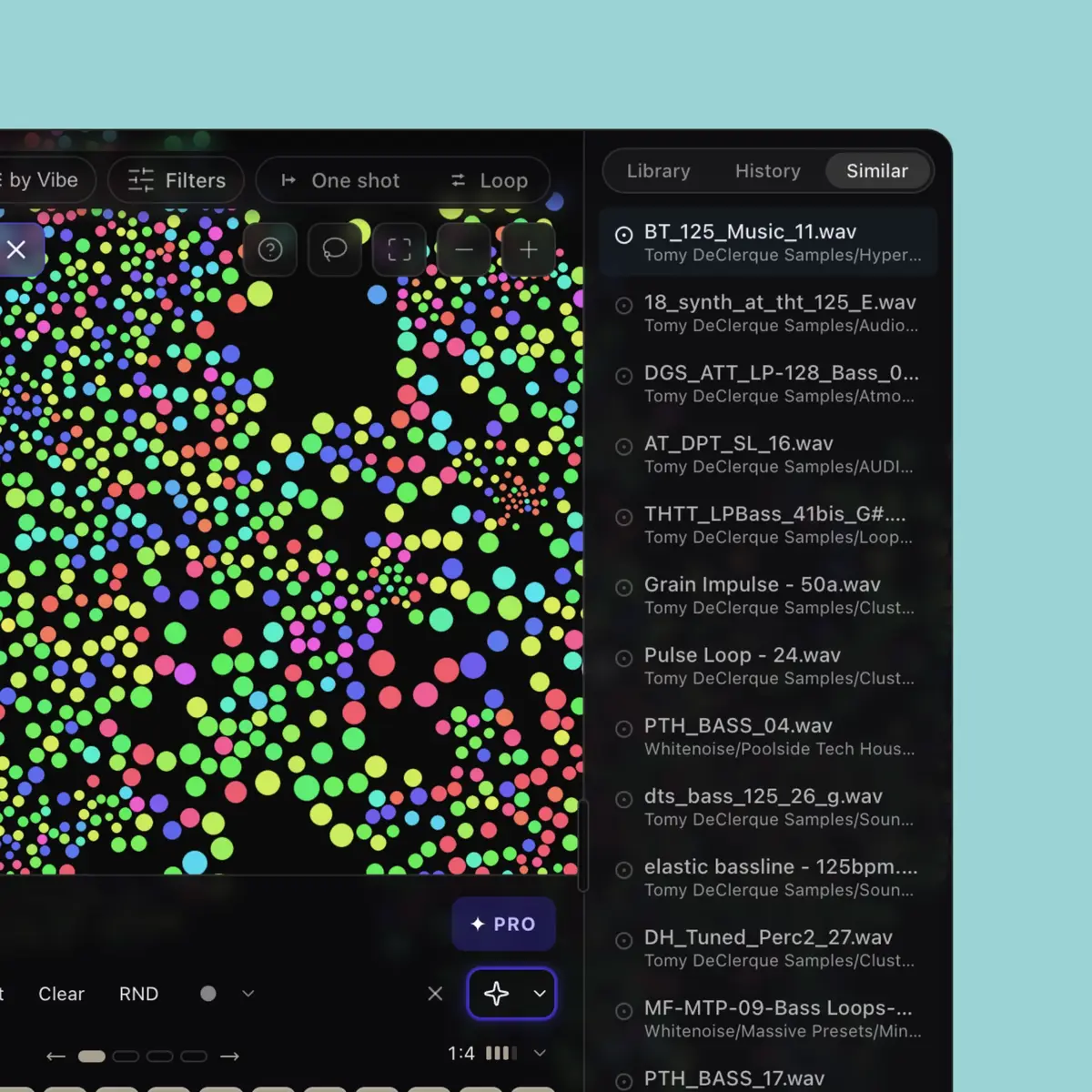
Vibseek Studio Similar tab listing the closest matches to a music loop, beside the sample map

Sound Search

Find more sounds like the one you love. Start from any sample on your map and keep going, one similar sound after another.

  • Click the dot next to any sample to see its closest matches.
  • Search again from any match to dig deeper from one source.
  • Works on your Tape Sampler recordings too.
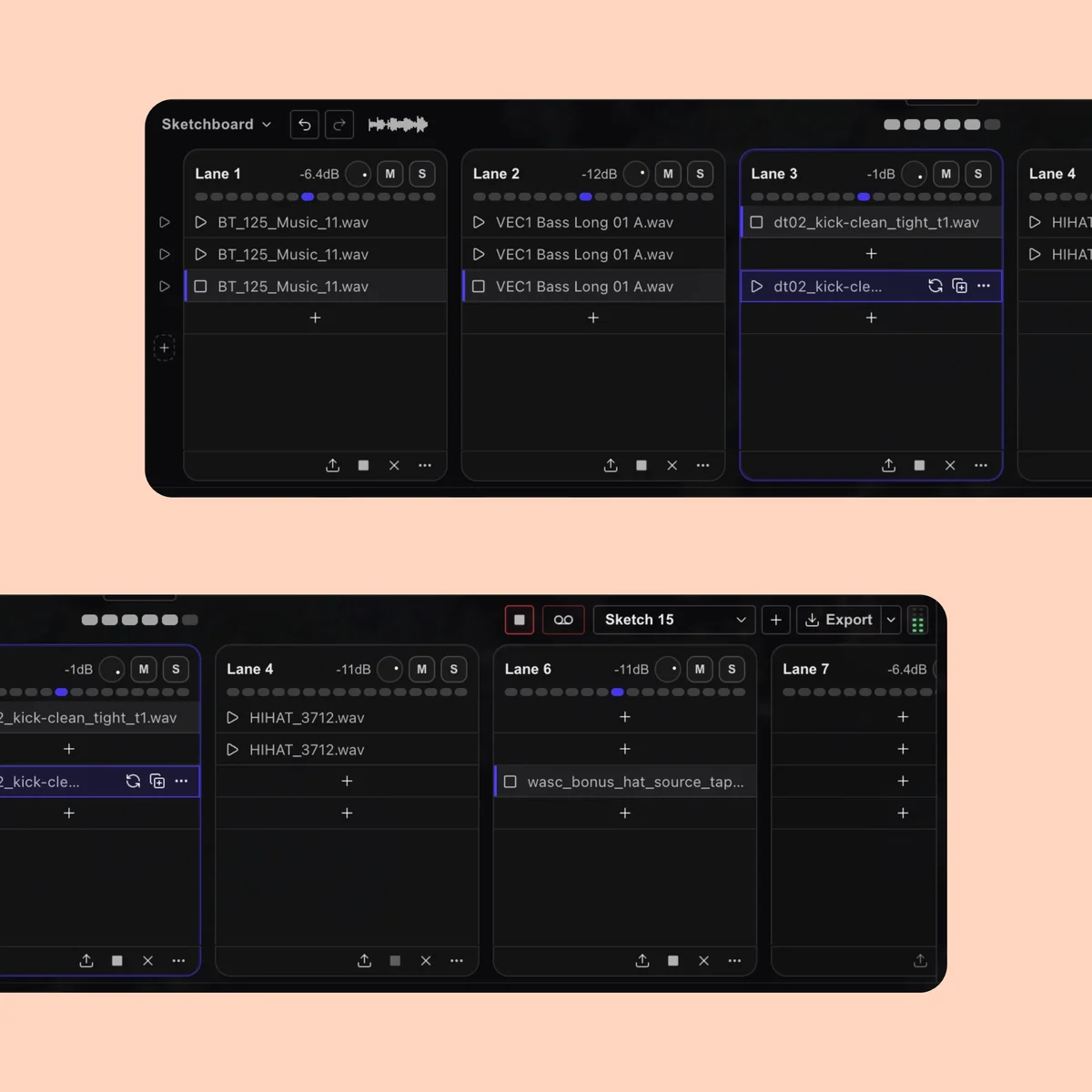
Vibseek Studio Sketchboard with lanes of music loops, bass, kicks and hi-hats, each lane with volume, mute and solo, and a sketch ready to export

Sketchboard

Turn the idea in your head into a sketch fast. Stack samples to hear what fits, then take it to your DAW or build on a project you already have.

  • Layer loops and one-shots to find sounds that belong together.
  • Try different ideas as clips, in sync with your DAW project.
  • Drag the ones you like straight into your project.
  • Export one lane or the whole sketch in one click, as new tracks with their clips in your DAW.

Exporting lanes to new audio or MIDI tracks works with Ableton Live for now.

Track every music project from first idea to done.

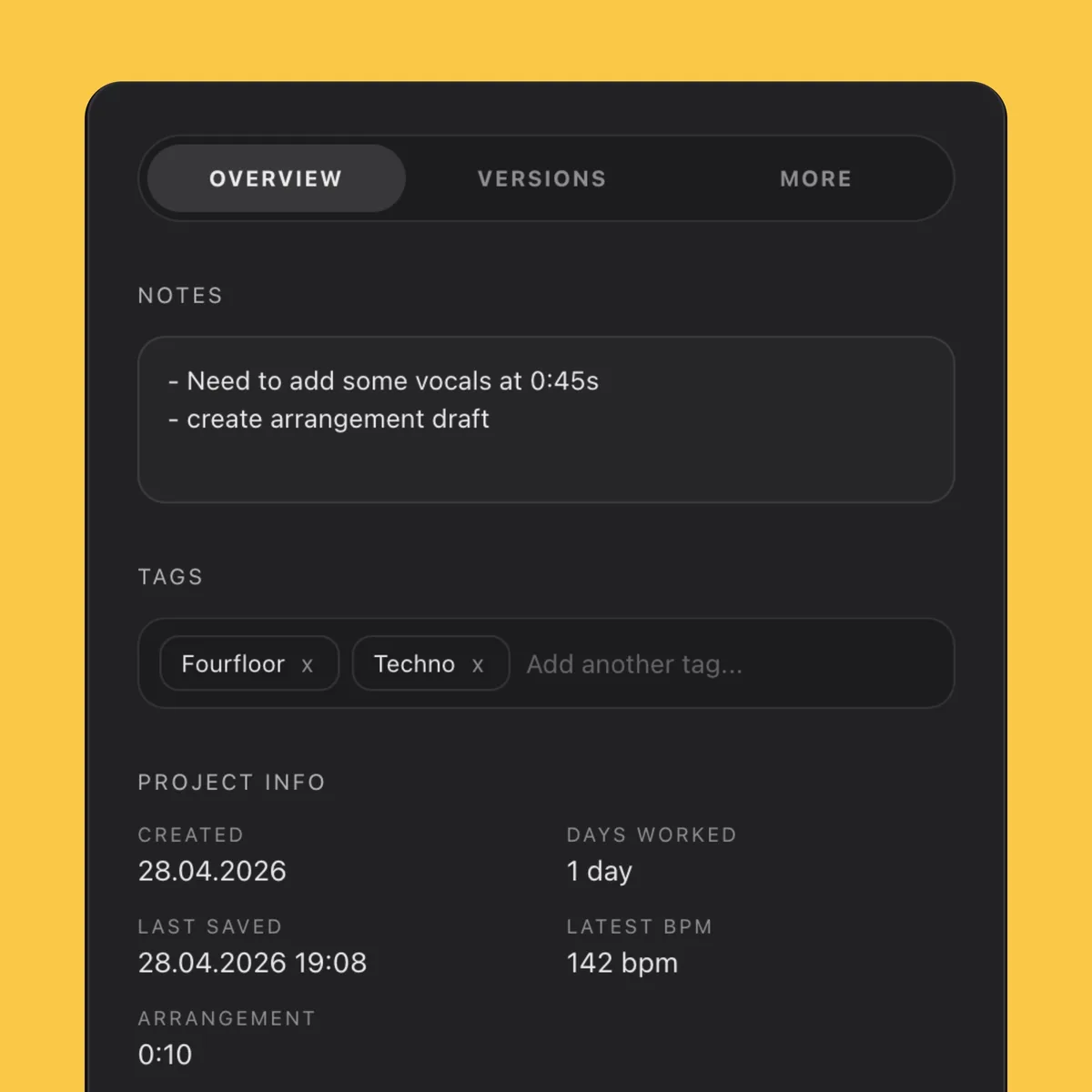
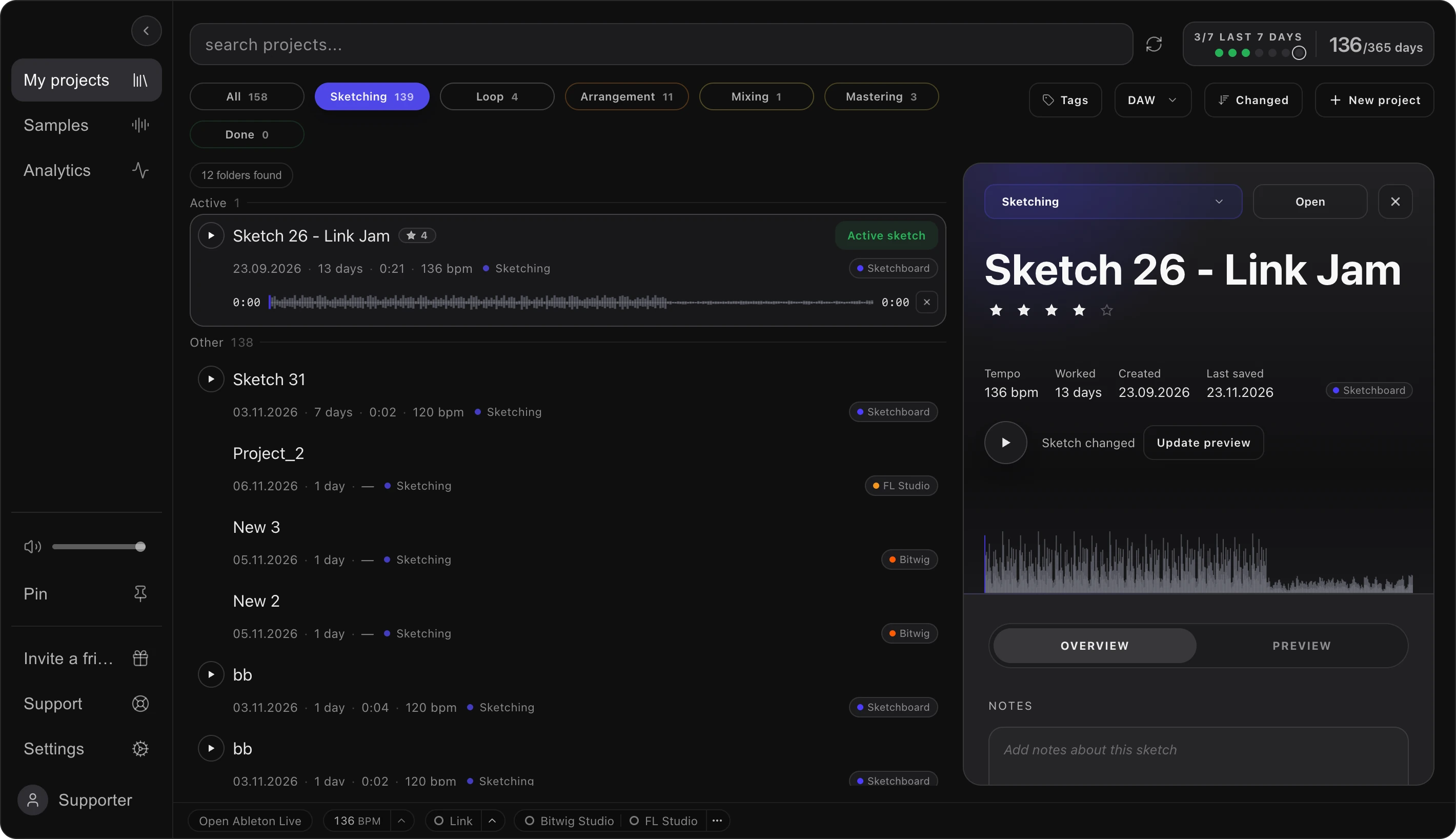
All your DAW projects and Sketchboard sketches in one dashboard. Forget which folder they're in. Follow every idea by stage, from sketching to arrangement, mastering and done. Add tags and notes, preview ideas, see exactly what you worked on any day and open it from there.

Vibseek Studio music project manager listing Ableton Live, Bitwig Studio and FL Studio projects by stage (sketching, loop, arrangement, mixing, mastering, done) with tempo, time worked, audio preview, star ratings and notes for each track
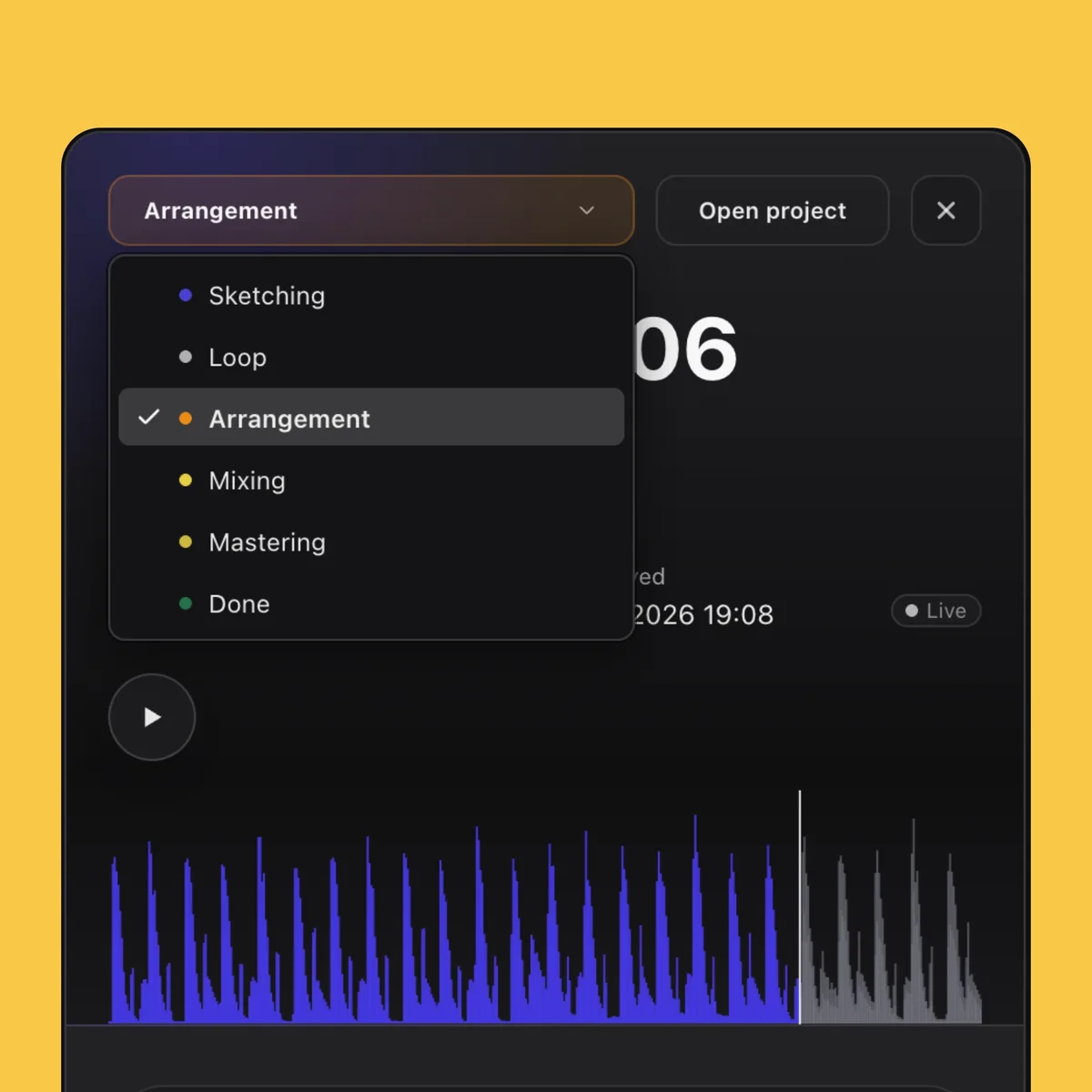
Vibseek Studio project stage menu with Sketching, Loop, Arrangement, Mixing, Mastering and Done, above the project's waveform preview

Projects & Sketches details

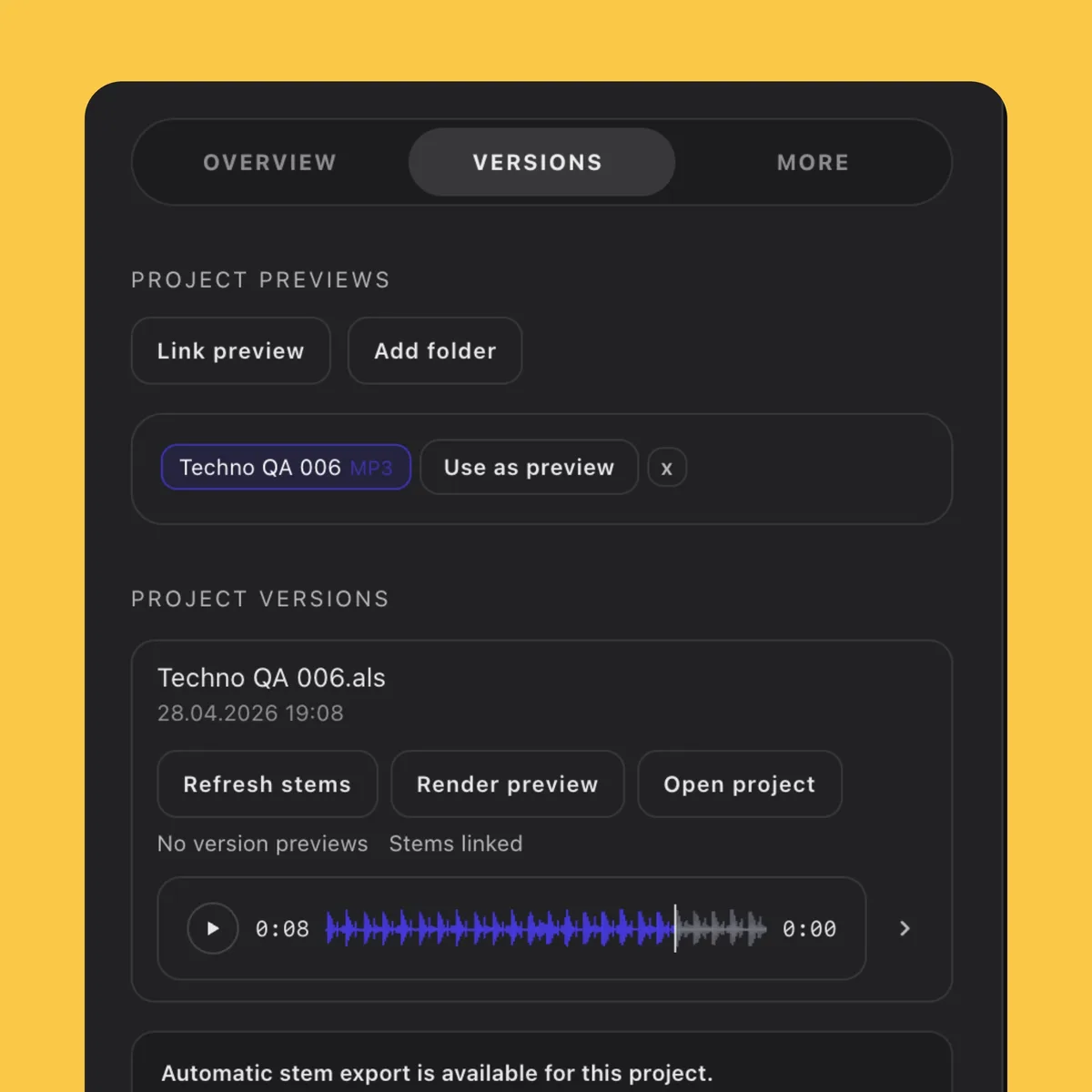
See how far along every project and sketch is and what it sounds like. Find the one you want by its notes, tags or preview, then open it in your DAW.

  • Move each project from Sketching to Arrangement, Mixing, Mastering and Done.
  • Add notes and tags to remember what to do next.
  • Listen back to every saved version of a project.
  • Render previews and stems in one click in Ableton Live.

Works with Ableton Live, FL Studio, Bitwig and Pro Tools. More DAWs coming soon.

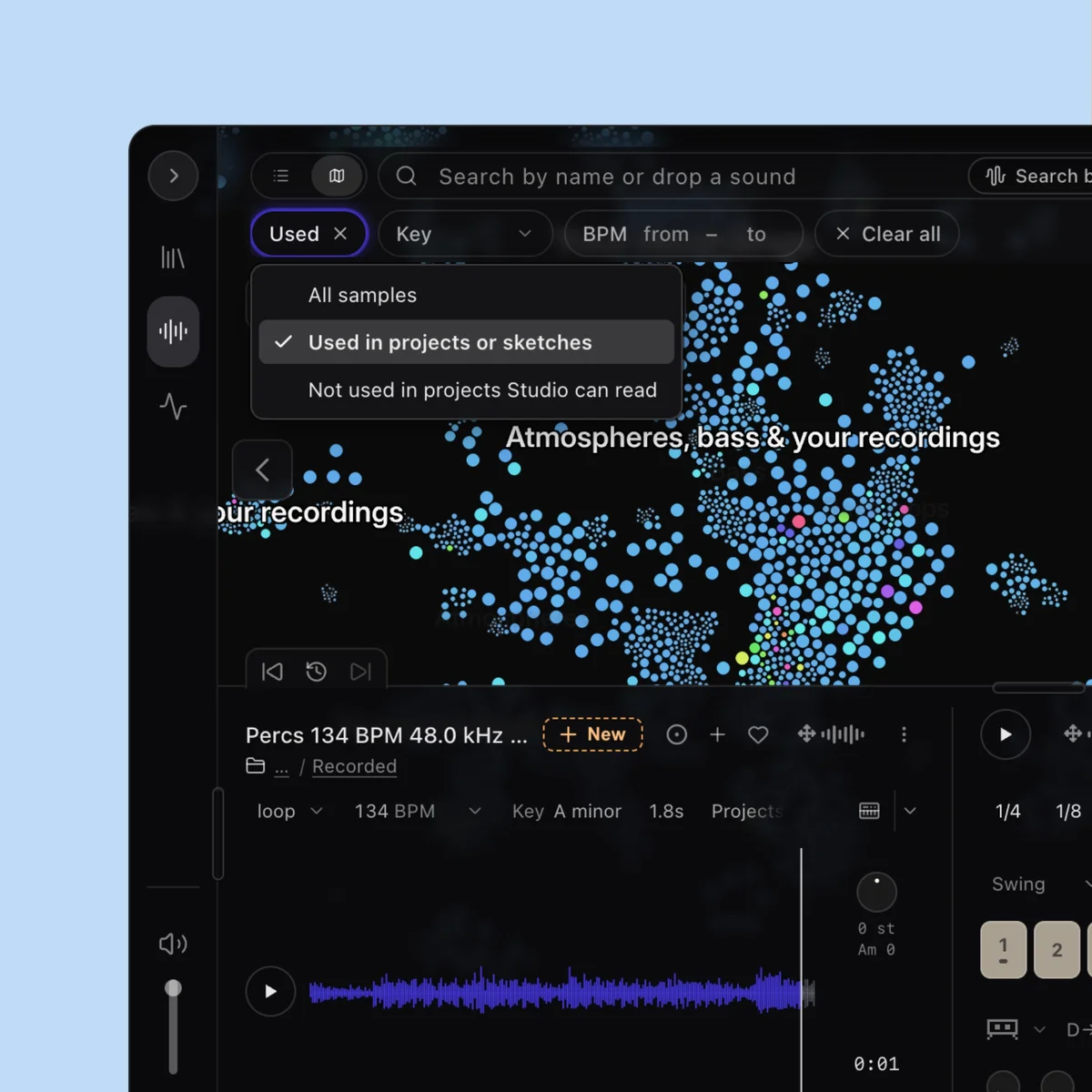
Vibseek Studio sample map with the Used filter open: All samples, Used in projects or sketches, and Not used in projects Studio can read

Your sample history

See on the map which samples made it into your projects and sketches. Explore the sounds that shaped your music, or the ones you've never touched.

  • Filter the map to samples used in your projects or sketches.
  • Search by Sound from them to find more that fit your taste.
  • Build a sound identity from what you keep coming back to.
  • Or show only unused samples, so you don't repeat yourself.

Reads projects from Ableton Live, FL Studio, Bitwig and Pro Tools.

Build consistency and finish more projects.

Understand your production habits and finish more projects. See active production days, recent project activity, and winning streaks, so you can spot your rhythm.

Vibseek Studio production activity tracker with a yearly heatmap of active music-making days, best streak and milestones, and a daily log of edits, clips and backup snapshots across projects and sketches
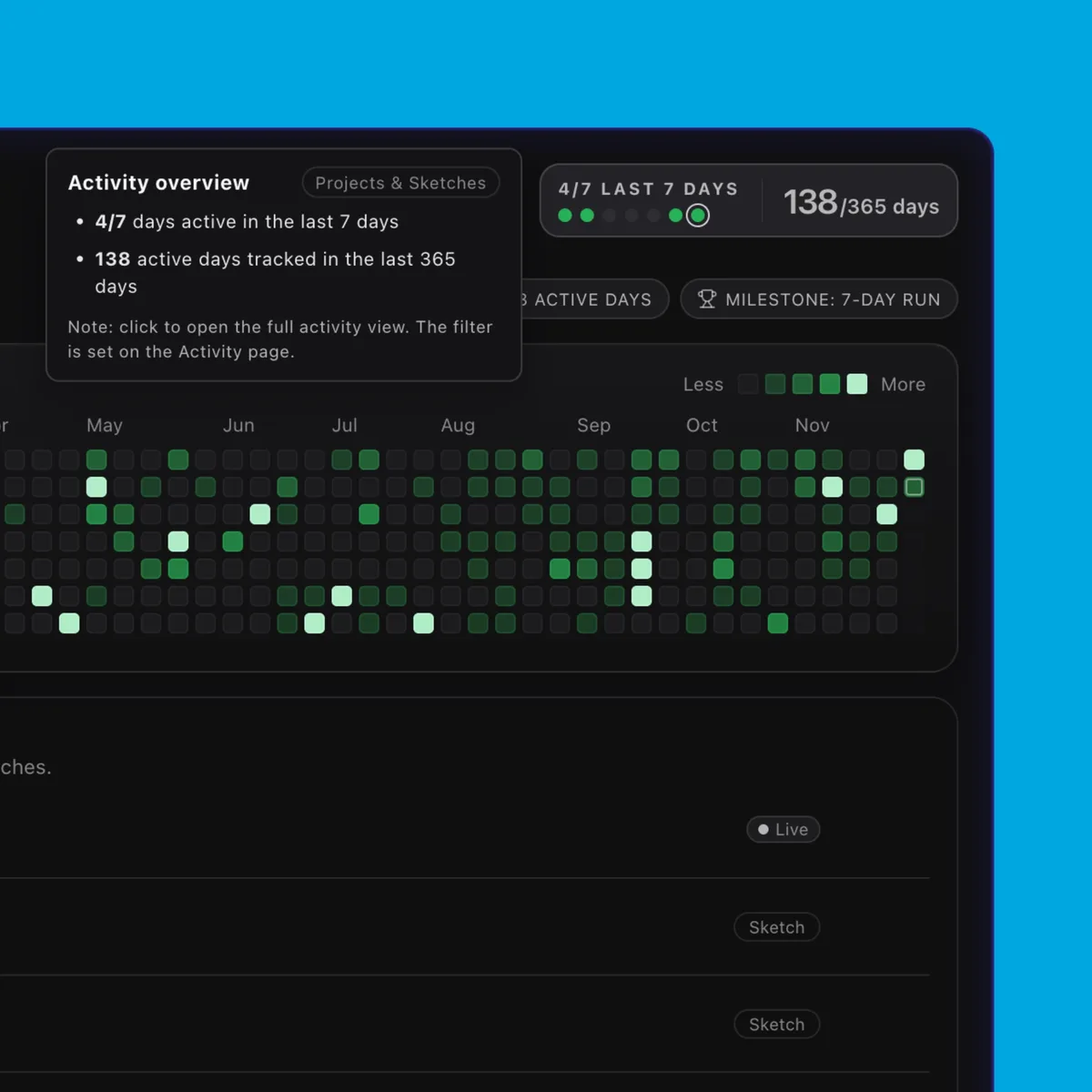
Vibseek Studio activity overview with 4 of the last 7 days active, 138 active days this year, a 7-day run milestone and a full-year grid

Activity overview

See your momentum at a glance. How many of the last 7 days you made music, and how many active days you've had this year, right at the top of the app.

  • One dot per day this week, so a gap stands out.
  • A full-year grid where brighter squares mean more work.
  • Milestones like a 7-day run mark the streaks worth keeping.
  • Nothing to log by hand. It fills in as you work.

Your activity stays 100% on your computer. Nothing is stored in the cloud.

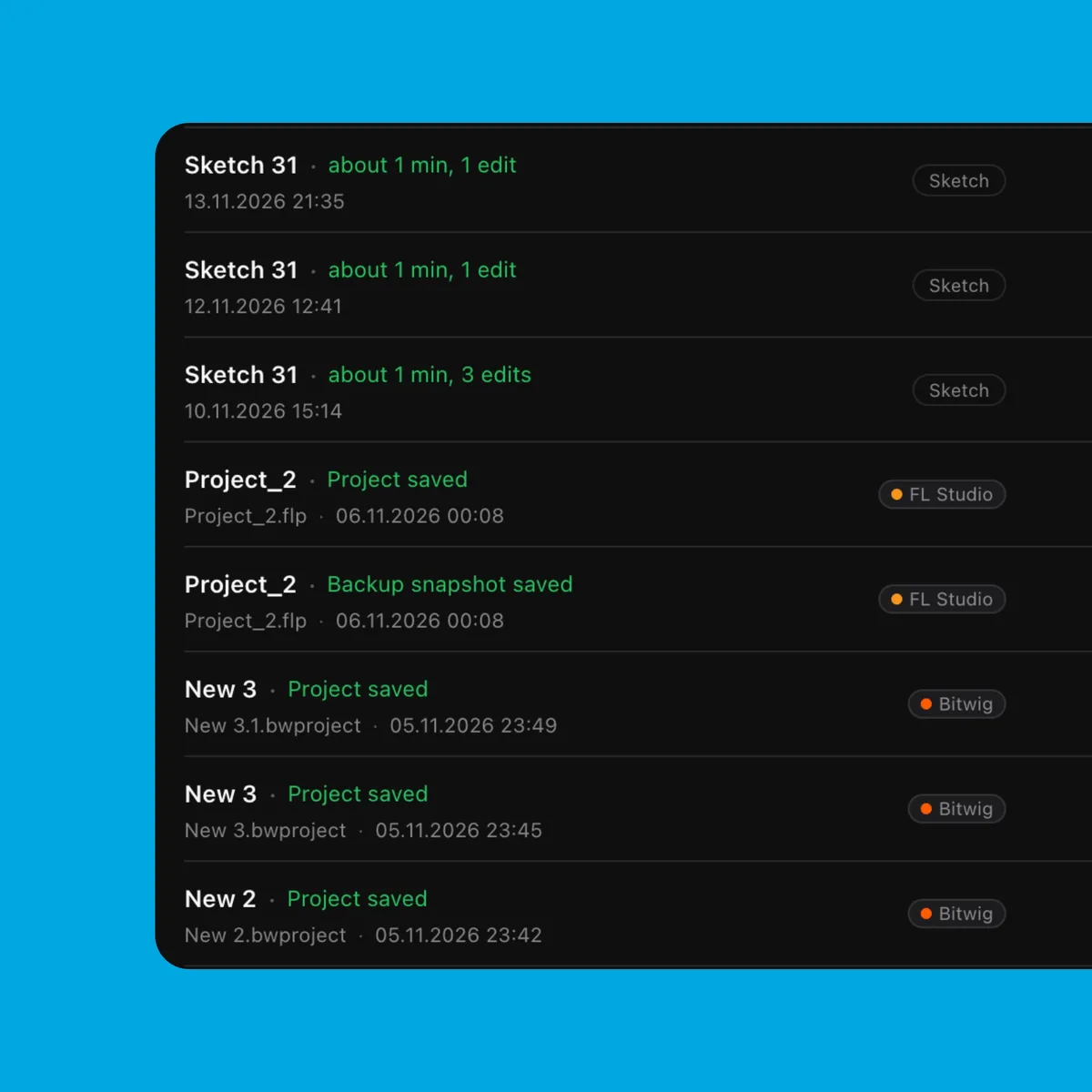
Vibseek Studio activity list with sketches, FL Studio project and backup saves and Bitwig project saves, each tagged with its DAW

Every DAW, one timeline

Sketch in one place, arrange in Ableton, finish in FL Studio or Bitwig. Vibseek follows you across all of them and puts every session in one list.

  • Project saves and backup snapshots show up as they happen.
  • Sketches show how long you spent and how many edits you made.
  • Each entry is tagged with its DAW, file name and exact time.
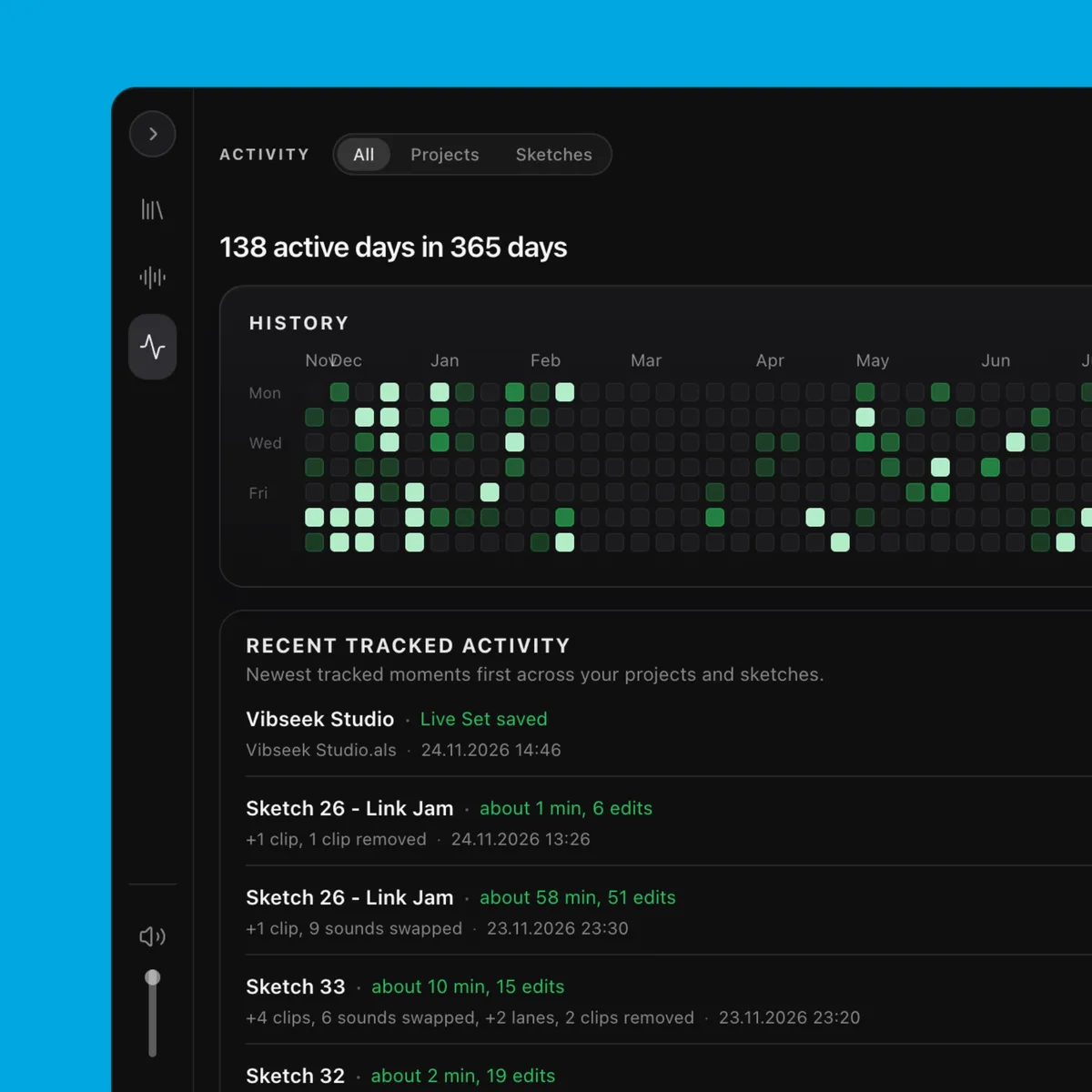
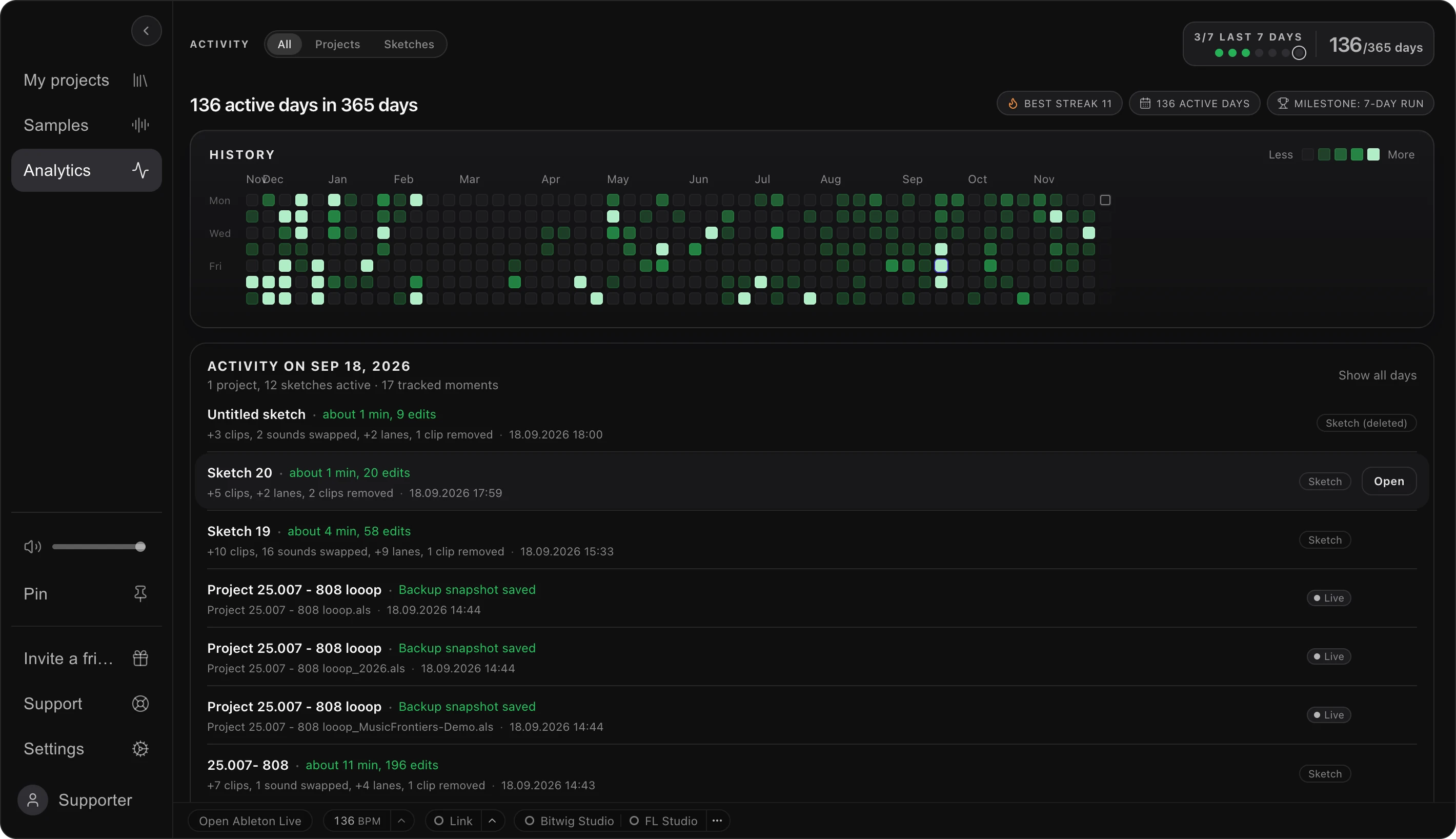
Vibseek Studio Activity page with All, Projects and Sketches filters, a year-long history grid and recent tracked activity with edit details

Activity Heatmap

Your whole creative history in one place. A year of work on one grid and a running log of what you actually did, session by session.

  • A heatmap of your year. Brighter means more work.
  • Click any day to see what you worked on.
  • Filter by All, Projects or Sketches.
  • Spot busy stretches, quiet months and the days you work best.
  • Real detail, like "about 58 min, 51 edits: +1 clip, 9 sounds swapped."

I found samples I didn’t even know I had.

Sound designer

Quotes from real Vibseek Studio users.

Download Now · Free

Ready to explore your sample collection and organize projects?

Import your projects and the entire sample library in minutes and do more with the samples you already have. Start with the Free plan and upgrade inside the app when you want more.

Free download

Get Vibseek Studio

Platform
Your DAW

By continuing, you agree to our Terms and Privacy Policy.

Enter your name. Enter a valid email address. Choose your platform.

No spam. Your data stays private. We only use it to send your download email.

Free plan included. No account or credit card required. Paid plans available.

Built by producers, for producers

Built by people who make music and build software for a living.

Vibseek Studio is being built by electronic music producers who know unfinished projects, messy sample folders, forgotten loops, and inconsistent creative habits from the inside.

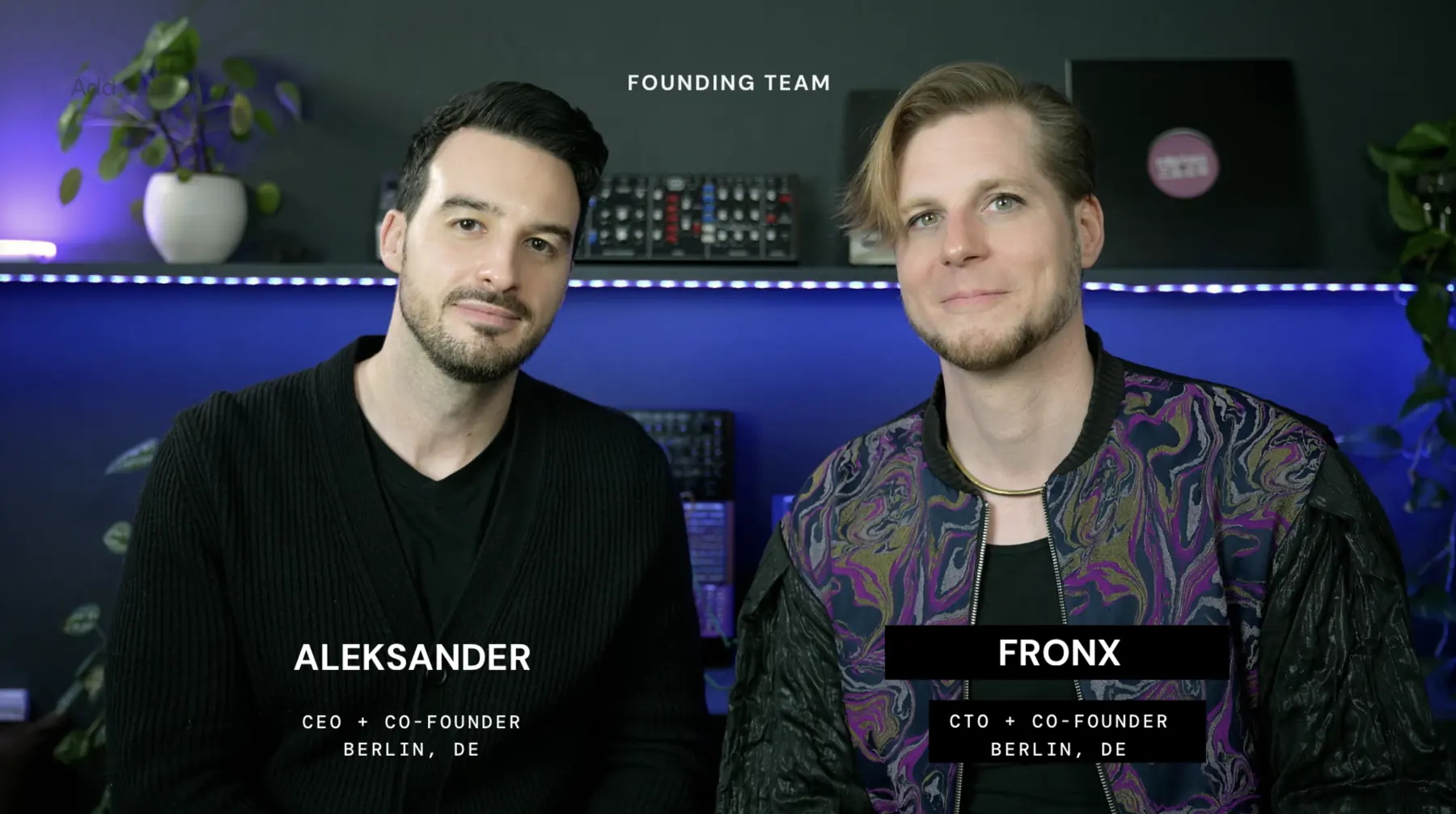
Vibseek founding team Aleksander and Fronx

Aleksander

20+ Years

Producer • Label • Sound Engineer

With over two decades of experience in music as a DJ, producer, label owner, and booking agent. Co-founded startups and held executive positions. Now, I am helping creatives bring their ideas to life.

Fronx

SoundCloud + Ableton

Technologist • Music Lover

A technologist and music lover bringing lessons from SoundCloud and Ableton into Vibseek, with a strong focus on thoughtful tools for producers and music communities.

Together, we are a Berlin-based team building Vibseek to help producers and DJs turn ideas into music and shape their own musical identity. Read our story

Subscribe and stay updated

Get notified about new features, exclusive content, and product updates.

We'll ask you to confirm before sending anything. Unsubscribe anytime.

FAQs

No. Vibseek Studio is a separate app that coexists with your DAW. The purple orb is always floating on top of your DAW to make Vibseek Studio accessible at any time. It helps with project organization, planning, sample discovery, and consistency around your music-making workflow.

Yes. Vibseek Studio is designed to work locally: we do not upload or transfer your DAW projects, audio files, or sample library as part of normal use. Everything Studio analyzes about your library is processed on your machine and stays on your device. Your project and activity history stay on your computer too, never in the cloud. Its optional usage analytics are anonymous, never include audio, file names, or personal data, and can be turned off at any time in Settings. When you sign up for the download, we use only the contact and setup details you submit to send your download link and the right next steps. Vibseek is a Berlin-based European company, and respecting your privacy is fundamental to how we build.

No. We do not use your audio, samples, DAW projects, or any of their metadata to train AI models, neither ours nor anyone else's. Your files are never uploaded for that purpose, never sold, and never shared with third parties for training. Vibseek Studio's intelligence runs on your own library, on your own machine.

It is for beginner and experienced producers who want more structure in their DAW projects, faster sample discovery, and better ways to do more with the sounds they already have. We are producers ourselves, so every decision starts from the workflow side: your DAW, your folders, your files stay yours.

Yes. Vibseek Studio has a Free tier that you can keep using with no time limit. It is not a free trial, and you do not need a credit card to use it. Optional paid tiers (Hobby, Pro and Supporter) offer more features and higher limits. You can upgrade inside the app whenever you choose. Prices include VAT.

Over 4 billion from a single one-shot sample, in just 1 bar. Every one of the 16 steps can be on or off, forward or reversed, and pitched anywhere from −24 to +24 semitones. Use just 4 of those choices per step and you already get 4,294,967,296 patterns (4 to the power of 16). Played at one pattern per second, that would take 136 years. With every modifier and effect in Sequencer Pro (velocity, length, timing, pan, filter, distortion and reverb on every step), playing every combination would take billions of billions of billions of years, while the universe is only 14 billion years old. Patterns can run up to 8 bars.

Up to 950,000 samples, one-shots and loops combined. Studio is built to stay fast on big libraries, even on older computers: the map opens within a couple of seconds and samples preview the moment you hover them. The Free plan covers up to 100,000 samples. If you need more than 950,000, let us know through the feedback button in the app and we're happy to raise the limit.

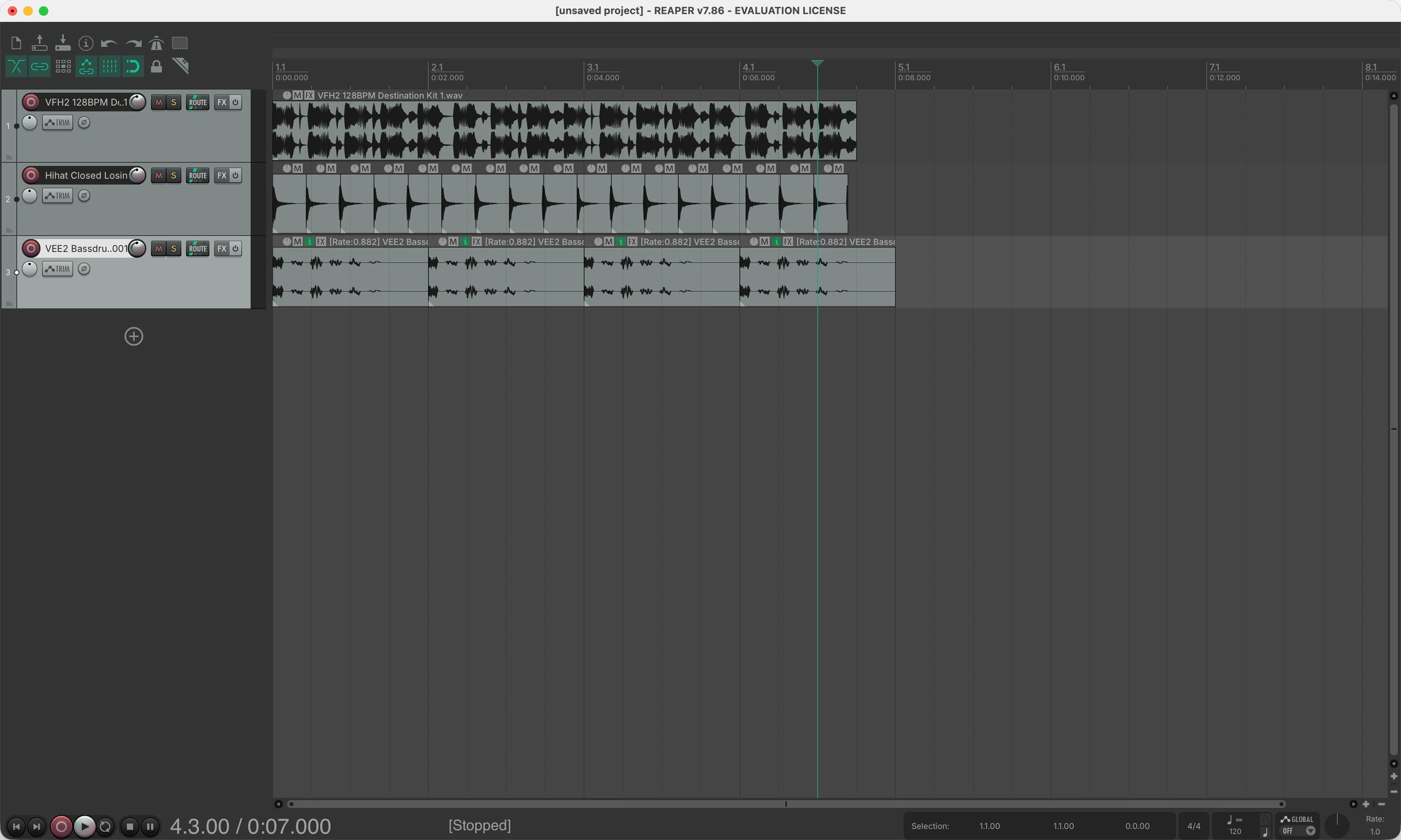
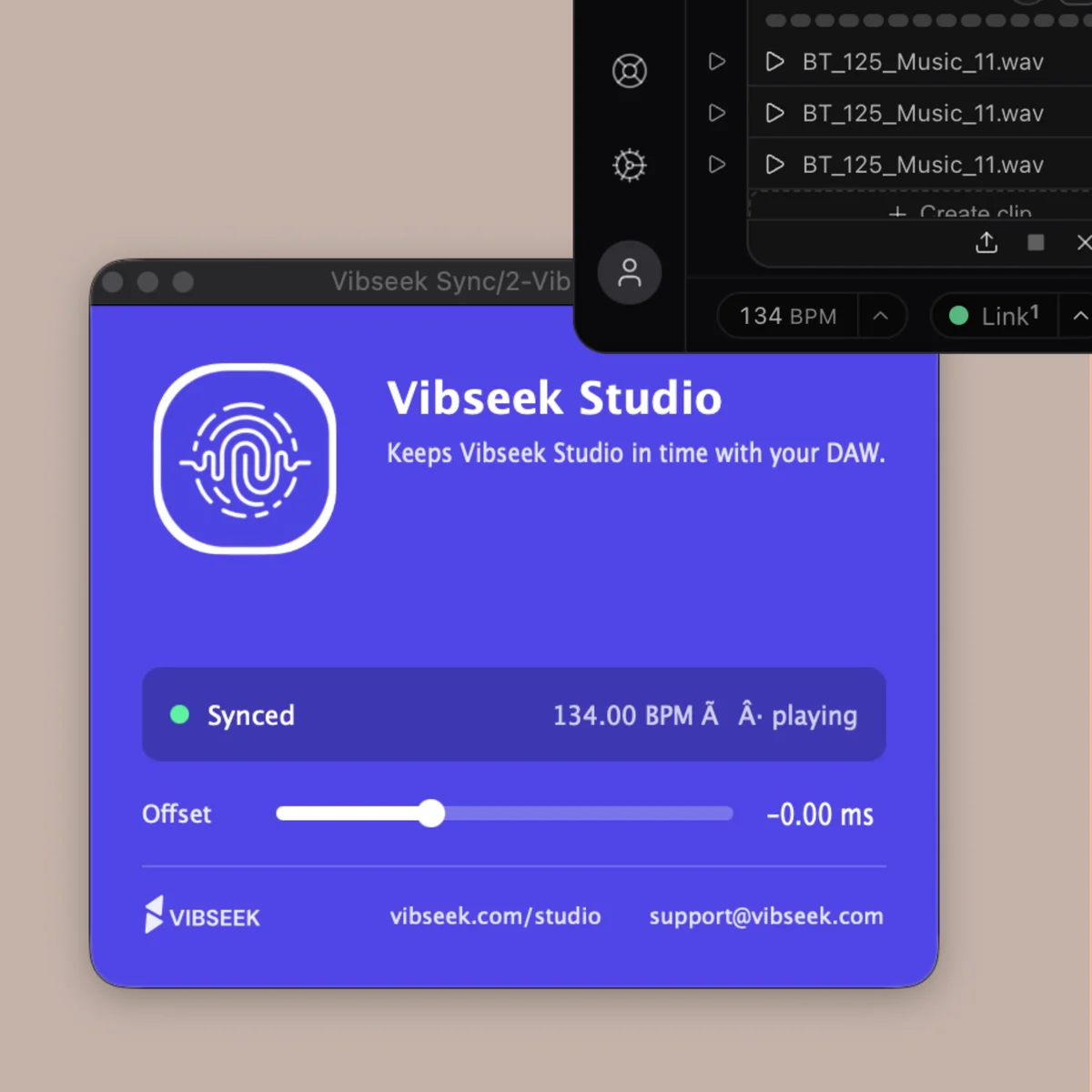
All of them. Sample discovery, previews and drag and drop work with any DAW. Studio can also sync its tempo with your DAW in three ways: Ableton Link, in DAWs that support it such as Ableton Live, Bitwig Studio, Pro Tools and Cubase 16; the Vibseek Sync plugin (VST3, AU and CLAP) for the others, such as Cubase, Studio One and REAPER; or MIDI clock. Project management and activity tracking read Ableton Live, Bitwig Studio, FL Studio and Pro Tools projects, with more DAWs coming soon. Automation features, such as rendering project previews and stems, require Ableton Live.

Yes. Vibseek Studio is available for Windows. Choose Windows in the download form to get your download link.

We email you a secure download link for your Mac or Windows PC right away. Install Vibseek Studio and start with the Free plan.

Vibseek Studio helps you stay organized and do more with what you already have, so more ideas turn into music instead of staying unfinished.