We did it again... 62 changes! Vibseek Studio 0.7.0 brings new features and improved stability: the long-awaited Sketchboard, an Advanced Step Sequencer, a built-in sampler, an edge-to-edge map, and more.
Vibseek Studio is free to download, and it updates automatically the next time you open it. Press play above for the six-minute walkthrough, or read on: we go one by one, with screenshots.
What is Vibseek Studio?
Vibseek Studio is a desktop app for music producers and sound designers that works on top of your DAW, like an extension that supercharges it. It brings four tools together:
- Sample discovery map: a similarity map of your local sample library. Find sounds by how they sound, and do more with the samples you already have.
- DAW project management: organize your projects so you actually finish them. Projects currently work with Ableton Live.
- Sampling software: record new samples from Studio itself, from other apps or from your microphone, and create sounds in creative ways.
- Idea sketcher: with Sketchboard, layer and sequence sounds to sketch ideas before moving to your DAW.
New to Vibseek? Read what Vibseek is and how it helps producers.
What's new in Vibseek Studio 0.7.0
1. Sketchboard: stack sounds and find ideas before opening your DAW
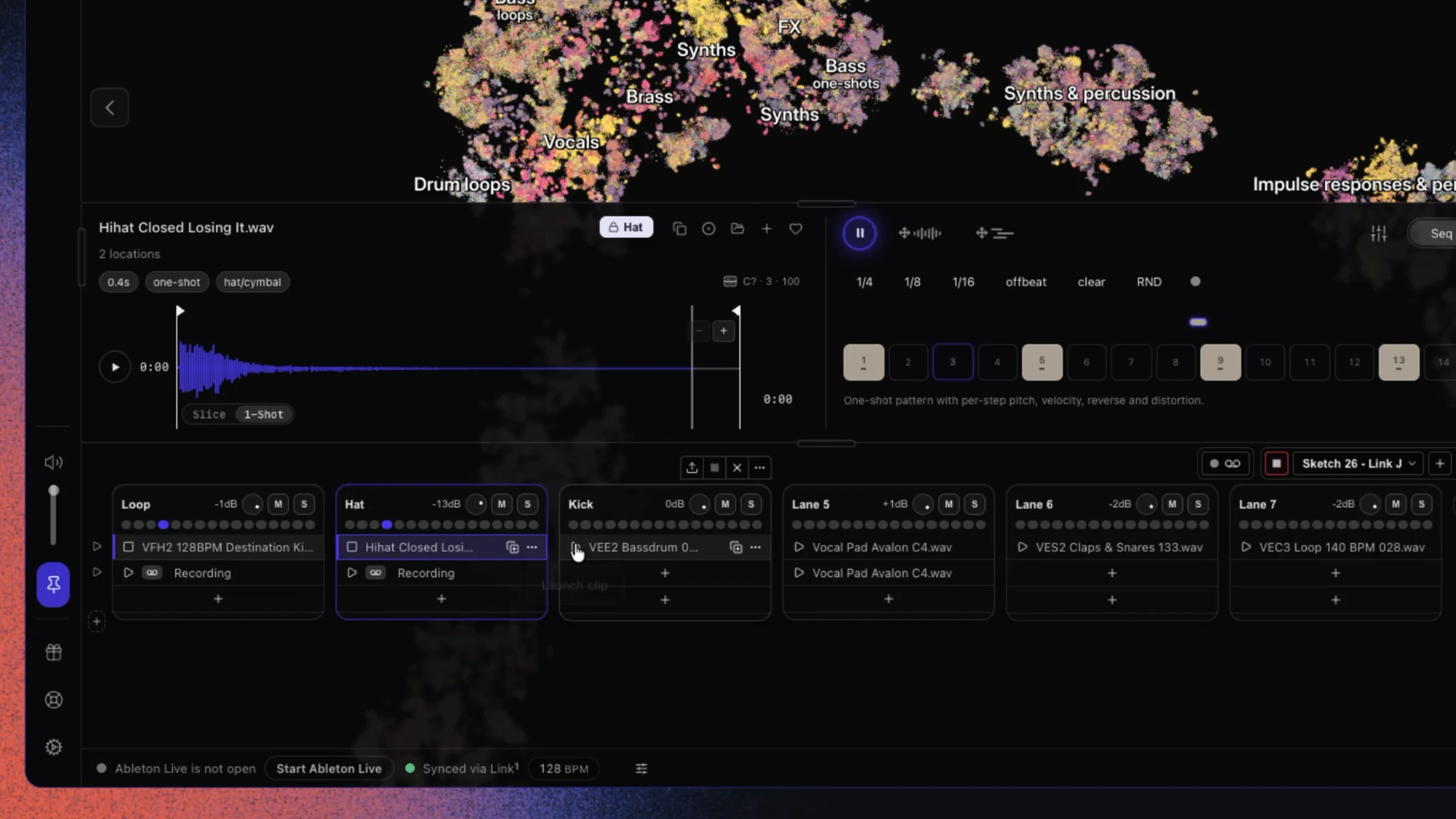
The first thing you will notice is that we are releasing Sketchboard for everyone. With Sketchboard, you can stack up one-shots and loops and layer them on top of each other to find ideas before you move to your DAW.
When you are happy, you can drag and drop individual samples from here, or use the export button to transfer your entire sketch into your DAW. All sequenced samples are exported automatically, so they keep their pitch changes, reverb, distortion and more.
2. Built-in sampler: record from Studio, Spotify, YouTube or your mic
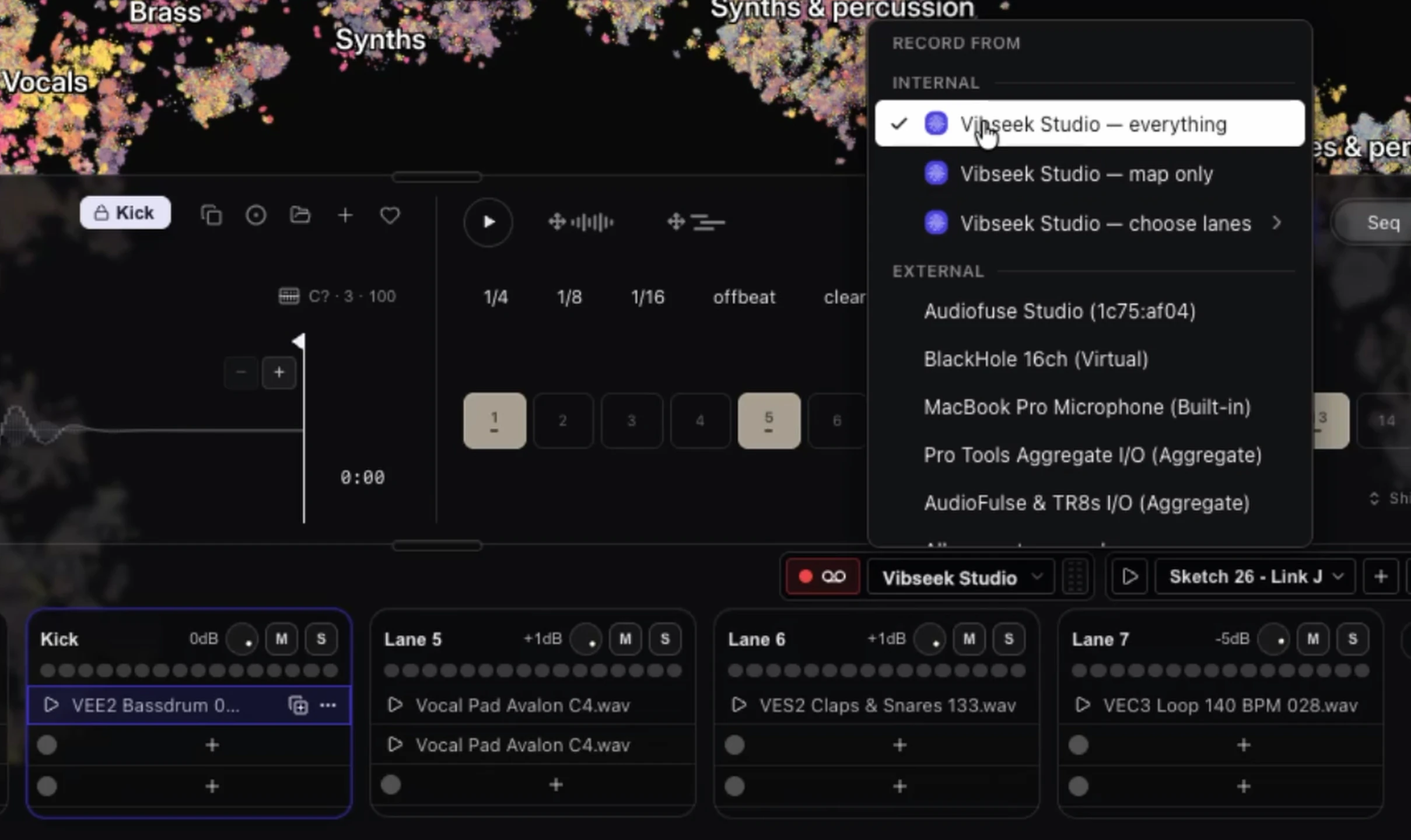
Next is the built-in sampler. First, set the folder where you want to save your recorded samples. Then choose your audio input source. BPM and key are assigned automatically after recording is done.
Record from outside Studio
Sample a browser like Chrome, Spotify, YouTube, or your microphone, and the recording lands in your Sketchboard. They will play in sync with your sketch or DAW.
Record from inside Studio
You can also sample internally, inside Vibseek Studio. Pick one of three sources:
- Everything: record everything you hear.
- Map only: record only the sounds coming from the map.
- Choose lanes: record only the Sketchboard lanes you pick.
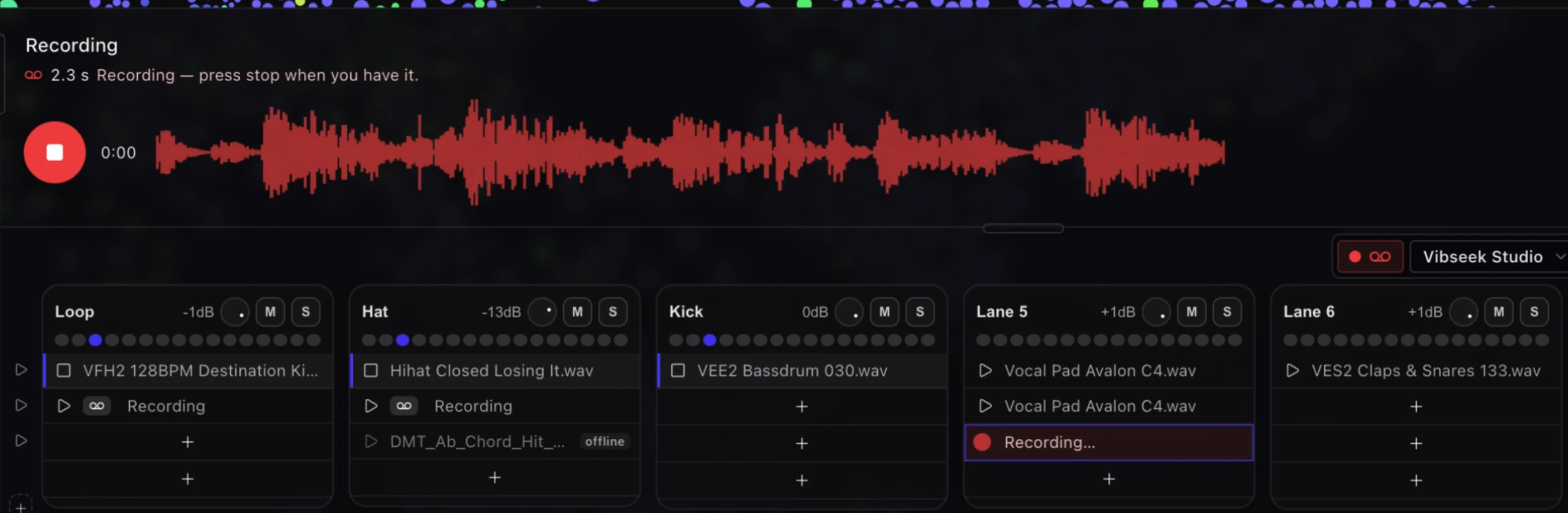
Try this: play the map over your own beat
Create completely new samples and ideas via internal recording. Here is one way to use it:
- Build a beat in the Sketchboard.
- Set the sampler input to Map only.
- Start recording, and move your mouse over the map. Keep going until you find something interesting that sounds good over your loop.
- Move between different sounds in rhythm with the beat.
- Stop, then cut the recording.
You end up with a completely new sample, made from your own library and your own groove.
3. Advanced Step Sequencer: up to 128 steps, slices and per-step length
The step sequencer also got a major upgrade. Every feature below works with loops and one-shots, so one sample can turn into a whole pattern.
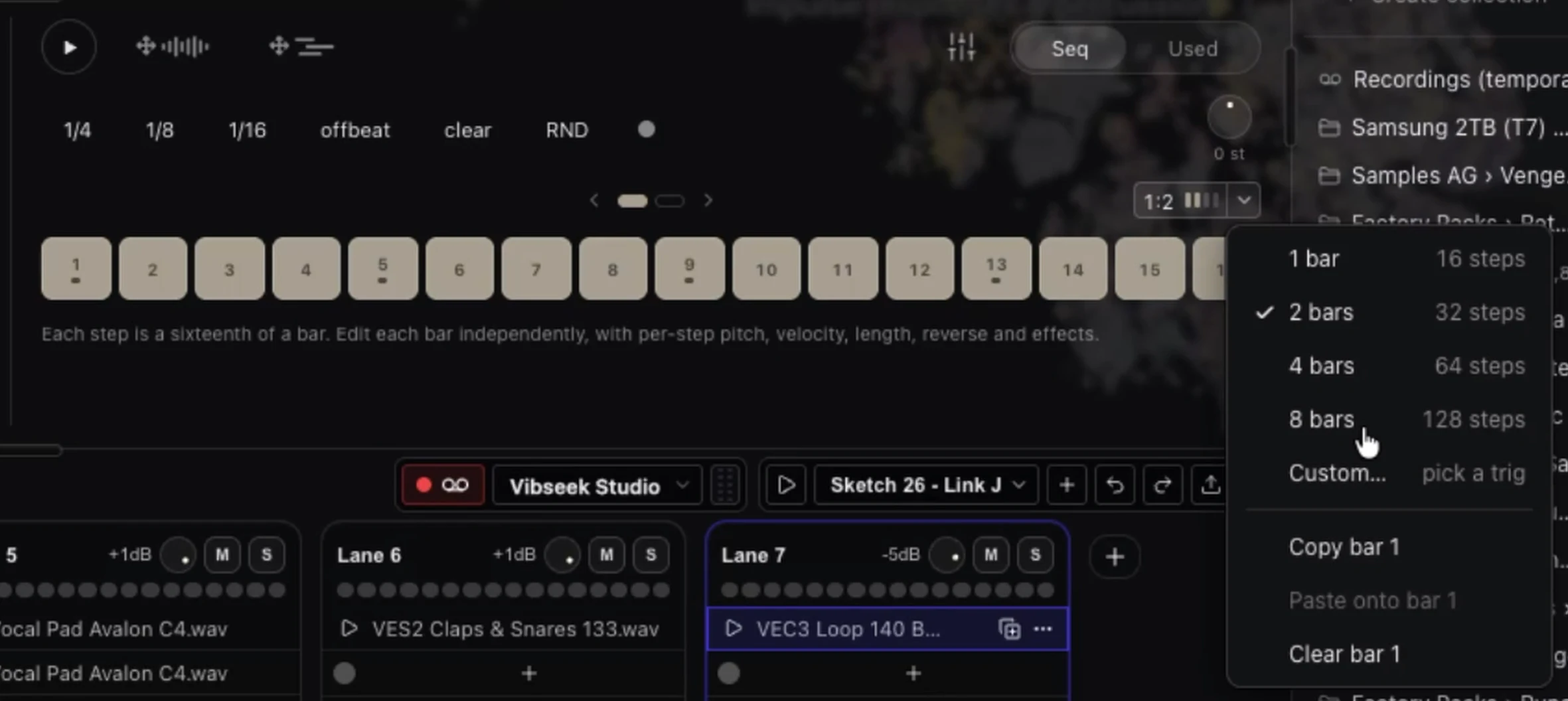
Longer and custom pattern lengths
You can extend a pattern from 16 steps up to eight bars, which is 128 steps. Pick 1, 2, 4 or 8 bars, or choose Custom to set your own length. Custom lengths are also how you create polyrhythmic patterns: lanes with different lengths drift against each other and keep the groove changing.
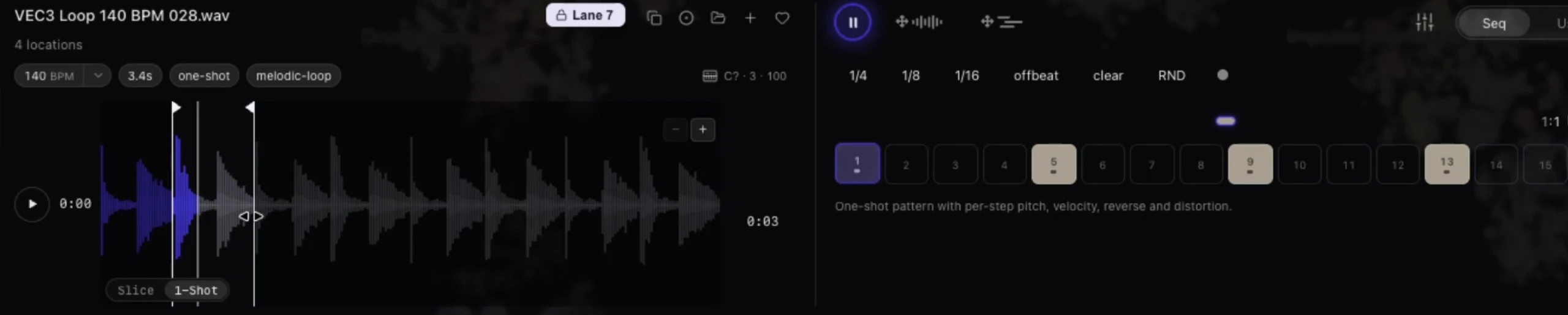
Turn loops into one-shots
While the Advanced Step Sequencer is activated, you can switch a sample from Slice to 1-Shot. This way you can isolate a specific part of a loop and use it as a one-shot sound, then build a pattern with that isolated part. It makes your sample library even more powerful: one loop now gives you many usable sounds.
Turn one-shots into slices
It also works the other way around. Switch a one-shot to Slice mode and it acts like a loop. You can then use it with the step sequencer to mute parts of the sample, and apply pitch, reverb, distortion and length per step, just as with regular loops. A single chord hit or drum hit becomes a rhythmic idea.

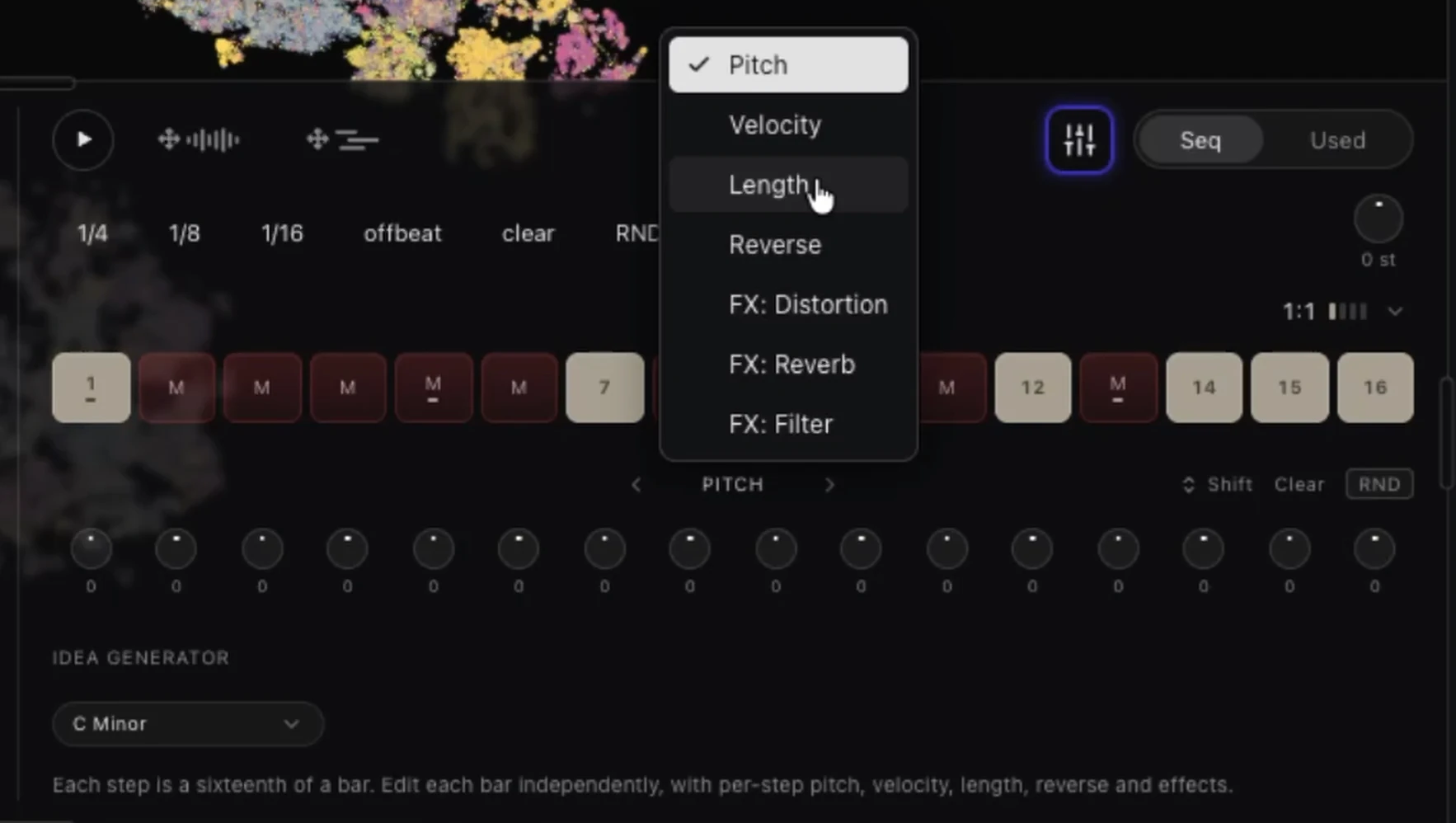
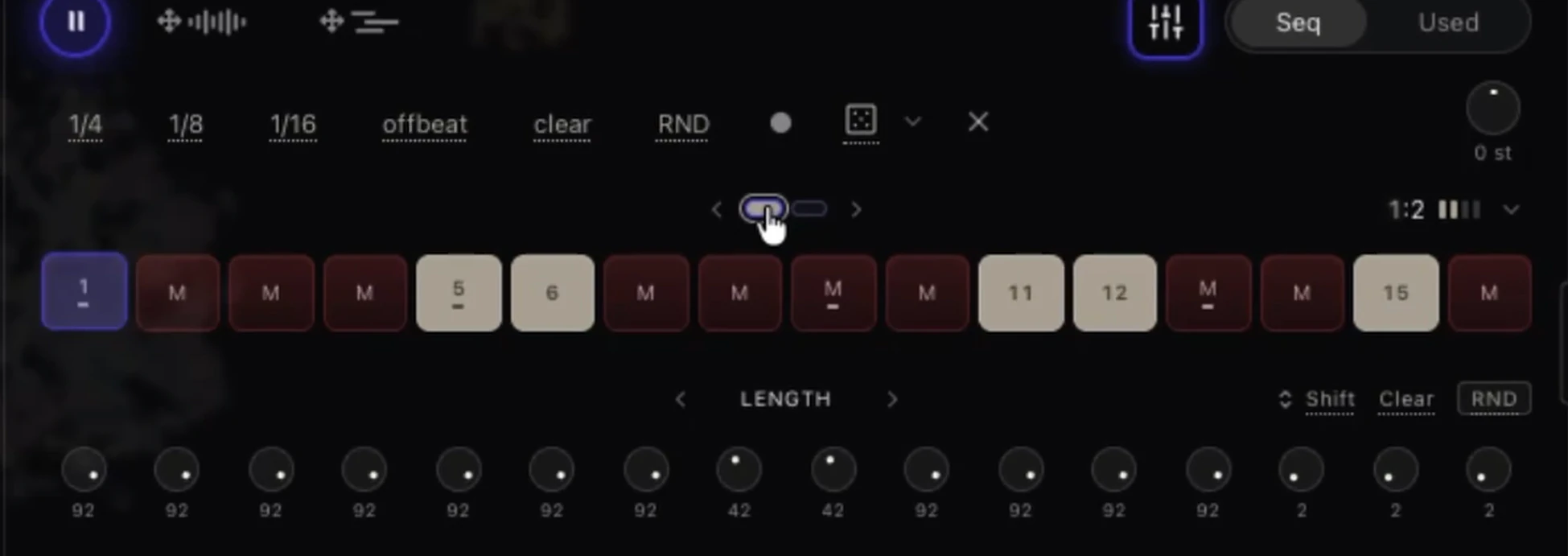
Length: set how long each step plays
In the advanced mode you will notice a new parameter called Length, which lets you change the length of each step. Adjust it by hand, or randomize it to get new ideas from samples you already know. Open the parameter menu, choose Length, and drag the knobs. Like the other parameters, Length can be randomized.
Bar focus mode
Click a bar in the step sequencer and that bar goes into focus mode. Every parameter change now applies only to that bar, and so do randomization and the predefined patterns. Click the bar again to go back to normal mode, where randomization applies to all bars and the entire pattern.
Right-click a bar to clear its pattern or copy it to another bar.
Try the Advanced Step Sequencer with your own sample library
Free for macOS. Works alongside your DAW.
4. Record notes and chords from a MIDI or computer keyboard
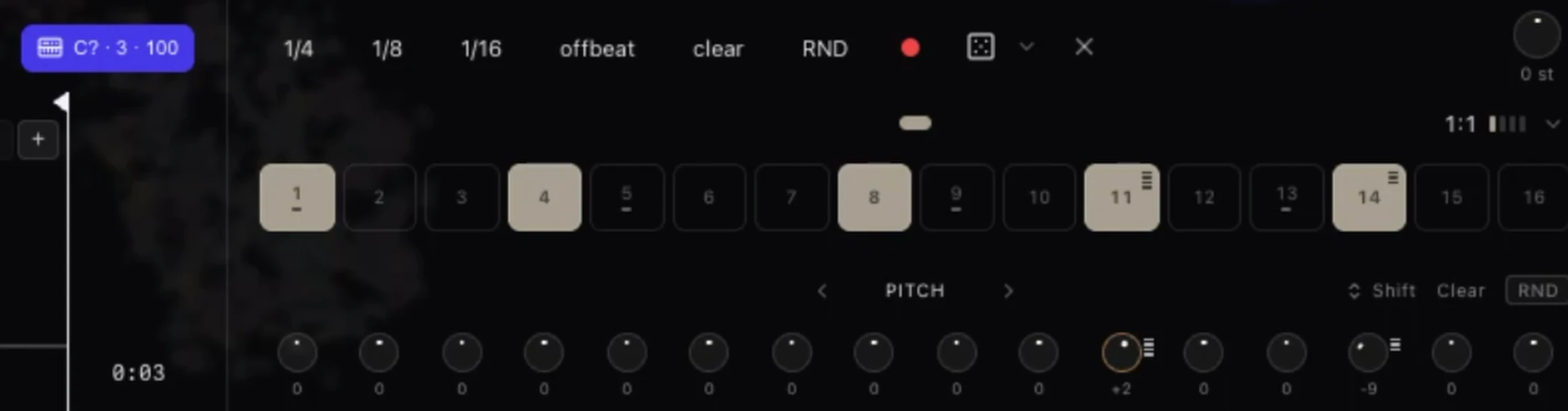
Playing with a MIDI keyboard was already possible. Now you can record what you play, chords included. Turn on the red record button and play your computer or MIDI keyboard: the velocity, pitch and trigger of each step are recorded automatically. The stripes on a step show how many keys are playing at the same time, and then you can transpose them all.
To program a chord by hand, click the pitch parameter of a step and then play the chord on your keyboard. You can also play chords live while recording. You can duplicate a pattern with all its parameters, and clear or copy a single bar.
5. Labeled clusters on the map: see what's where without searching
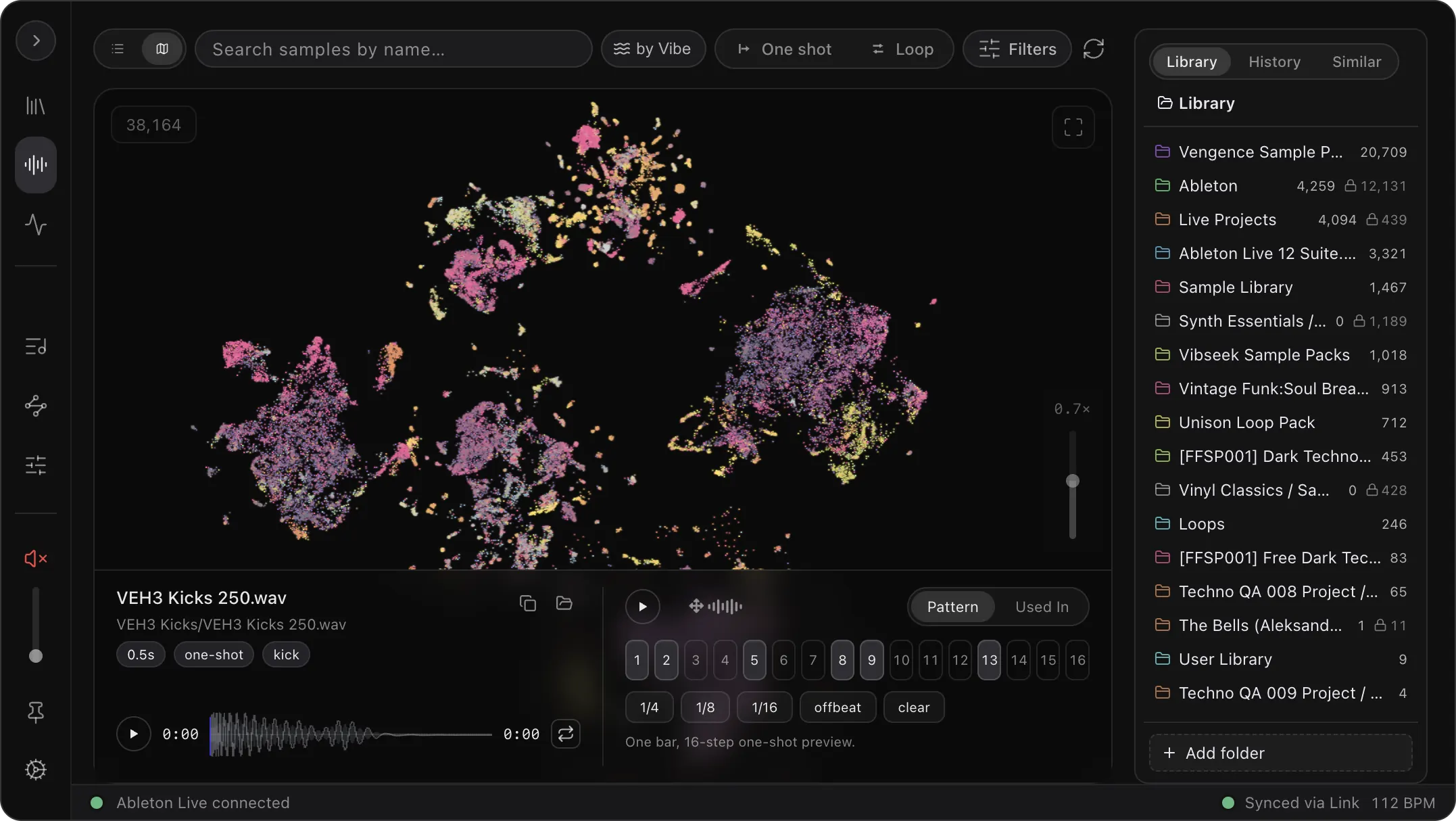
Another exciting feature is the labels over clusters. You no longer have to type a search or memorize where your kicks, bass and percussion are. You can see the sample clusters on the map through the text labels. When you zoom in, more detailed cluster labels are revealed. Bass lines are here. Percussion is here. Synths and keys are here. It makes exploring your map much more intuitive.
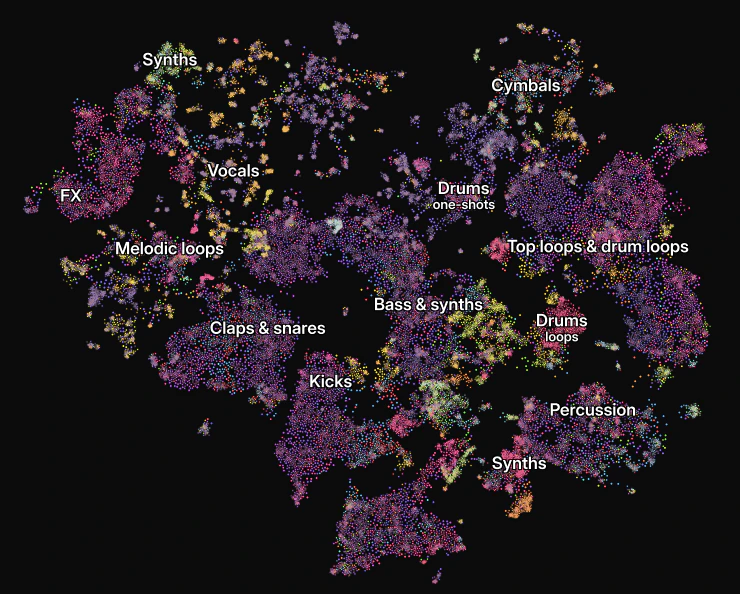
The map is also edge-to-edge now, with frosted glass panels floating on top. It feels more spacious, and you see more samples at once. You can turn this off or tweak it under Settings > Appearance.
Want to see how the map groups sounds you don't know yet? Load our free dark techno sample pack and watch where its kicks, percs and stabs land.
Try the map with your own samples
See your whole library, labeled and grouped by sound. Free for macOS.
6. Results-only mode and similarity map history (Inner Circle)
The next one is Inner Circle only at the moment, but we'll make it available for everyone soon.
Results only creates a new map from every filtered result, so you only see the sounds that match. Let's say you're filtering for one-shots. With results-only activated, Vibseek Studio creates a map from those results. If I now type "percussion", I'm narrowing down the results and Vibseek Studio generates a new map with just those sounds. In the screenshot below, that is 21,020 sounds out of 257,657.
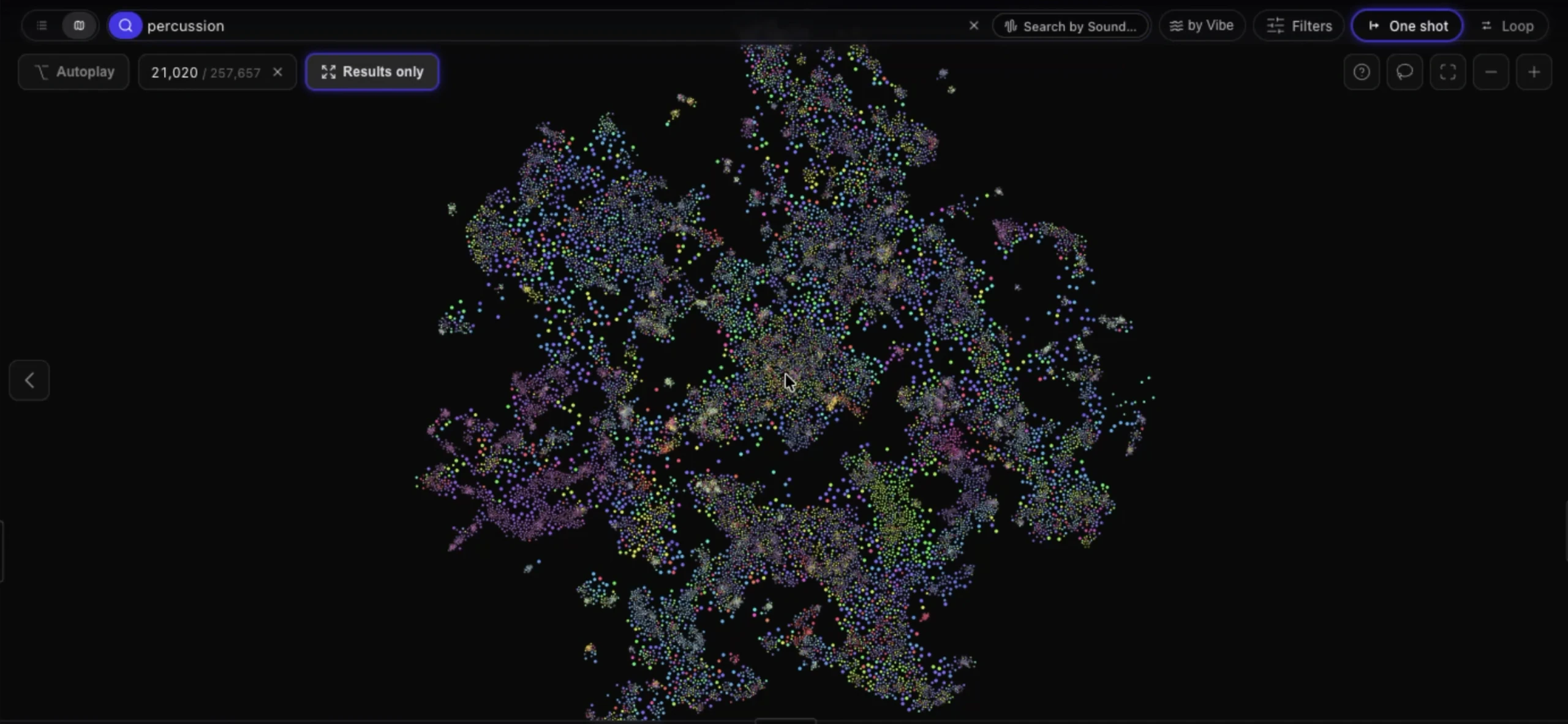
You can double-click to create a similarity map and drill deeper. But what if you want to go back to the previous map? Now it's very easy: click the back button. Right-click it to reveal the history options, and you can go back or forward. To exit similarity mode, click the X.
Inner Circle users can also open a long audio file like a folder, with its segments listed as rows.
7. Smarter search: bd, hh, 808 and 303
Search also got smarter. Type two letters like "bd" for bass drum and it will find all the relevant results. It works for 808 and 303 too, and it understands instrument families.
8. Key detection, tempo controls and playback
- Key detection. Vibseek Studio now analyzes your samples and assigns the corresponding key or scale, even if it isn't written in the file name. You can also filter by key or scale, and switch between exact results and compatible sounds.
- BPM range and half/double tempo. Click and drag to change the BPM range. You can now preview loops at double or half the tempo, and click to reset to the original tempo.
- Sync or free play. Decide between synced tempo and free play to hear the sound at its original tempo. A pitch knob lets you transpose the preview sample.
- Scrubbing. There are two options. Click above the line to play the sound unsynced from where you click. Click below the line to preview unsynced from the beginning.
9. The purple orb: drag and drop to import or search
There's an exciting update to the purple orb. It still opens and closes the panel, and now it is also a drop target.
- Drop a sample on the orb, from a folder or from your DAW, to create a similarity map based on that sound.
- Drop a folder on the orb to import new samples.
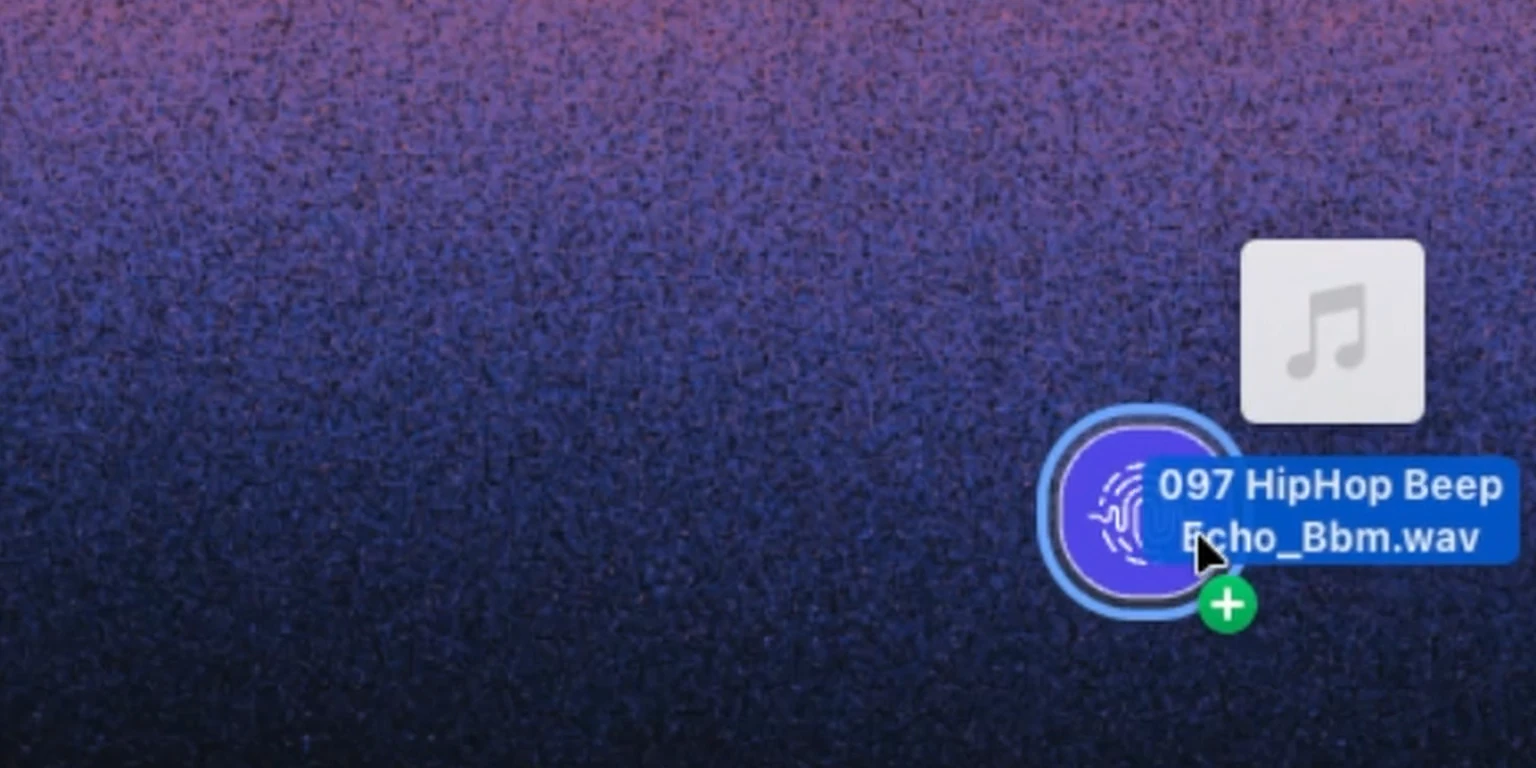
Some users prefer to keep the orb on a specific part of the screen. Now you can detach the orb from the panel: right-click and select Detach orb from panel. Put the orb wherever it's more comfortable for you, and move the panel freely.
10. Project sorting, smoother setup and 25 fixes
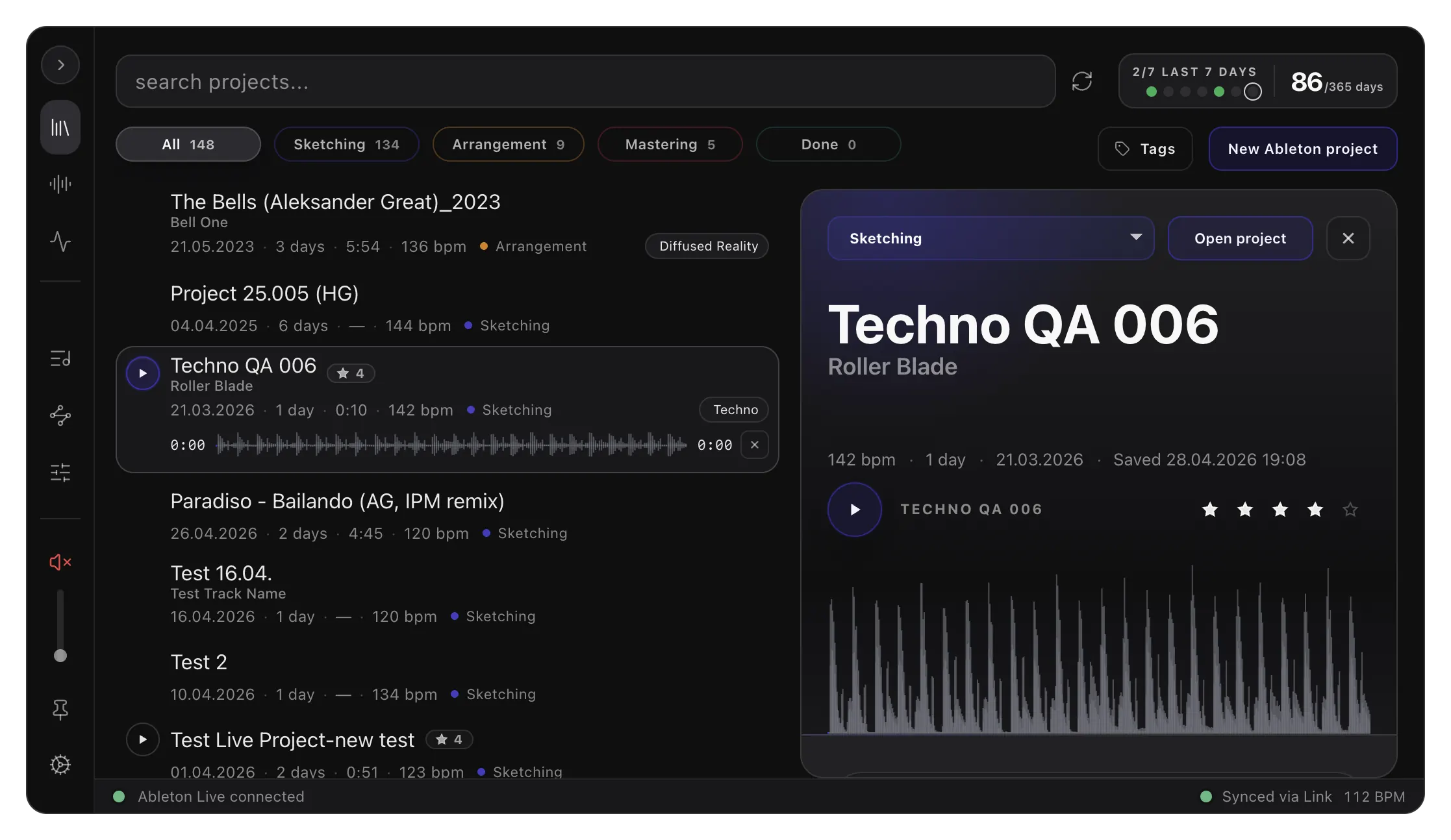
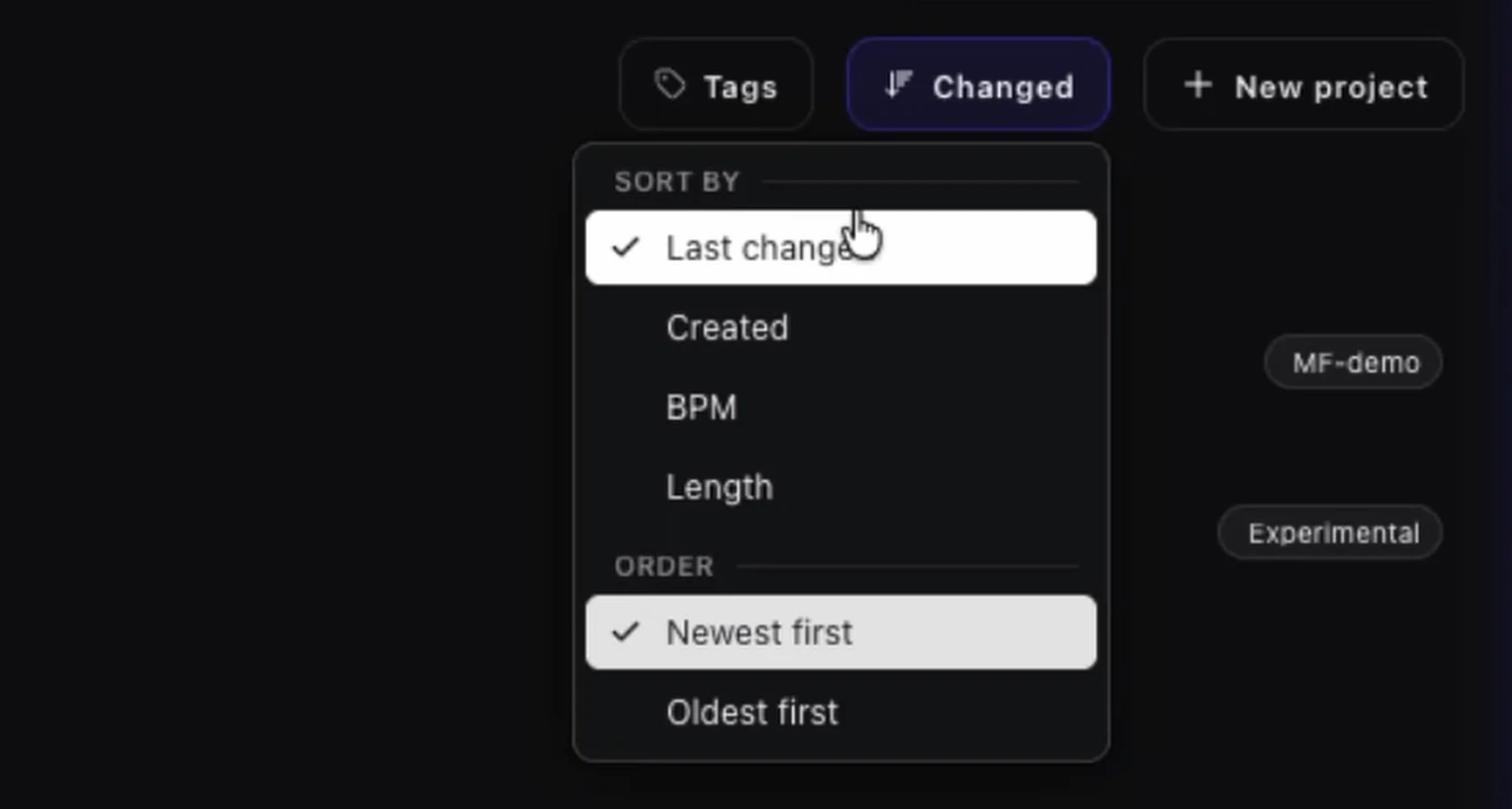
In project view, you can now sort by last change, created date, BPM and length (the arrangement length). Pick the order too, newest first or oldest first. When you have a lot of projects, this gets you to the important ones faster. Projects currently work with Ableton Live.
Two more things in 0.7.0:
- First-run setup now happens right inside the panel.
- 25 fixes, including the blank map bug (finally solved!) and smoother patterns exported to Live.
These are some of the many exciting updates we have shipped. See the full changelog for every change.
Release details: version, platform and price
Updating to 0.7.0 happens the next time you open the app. Otherwise, you can download it on our website.
| Version | 0.7.0 |
|---|---|
| Released | October 8, 2026 |
| Platform | macOS (Apple Silicon and Intel). Windows is in internal testing. |
| Price | Free |
| Updates | Automatic, the next time you open Studio |
| Works with | Any DAW for samples and drag and drop. Projects work with Ableton Live. |
| Changes | 62: new features, improvements and 25 fixes |
Download Vibseek Studio for free
Map your sample library by sound, sketch ideas in Sketchboard and sequence them, all on your computer and alongside your DAW.
Also, let us know what you think. We are continuously improving the product, and we highly welcome any thoughts, opinions or feature requests.
Happy producing, Aleksander from Vibseek