Introduction
Vibseek is building tools for DJs and music producers who want to move faster without losing what makes their work their own.
That matters now because music creation is changing quickly. AI is already reducing friction across the creative process, but many serious artists are still missing tools that actually fit the way they work. They do not just want speed. They want better workflow, better decisions, and better creative momentum, while staying in control of their sound, taste, and direction.
That is where Vibseek fits in.
What Vibseek Is
At its core, Vibseek is about helping artists develop musical identity.
We believe taste is one of the most valuable things a DJ or producer has. Your references, your instincts, the tracks you save, the projects you return to, the sounds you keep choosing, all of that says something about who you are as an artist.
Vibseek is being built to help turn that taste into creative output.
In practical terms, that means building software that helps artists:
- understand what they like and why
- organize the material they already have
- make better creative choices faster
- finish more work that actually feels like them
Why We Think This Matters
There is no shortage of music tools.
What is still missing is a better bridge between inspiration and execution.
DJs often have strong taste but messy libraries. Producers often have ideas, samples, presets, plugins, and half-finished projects scattered across too many places. Both groups lose time not because they lack creativity, but because too much of the workflow is fragmented.
We think the next generation of music tools should do more than add features. They should help artists understand their own material, reduce friction, and build momentum around the kind of music they actually want to make and play.
What Vibseek Looks Like Today
Today, Vibseek is taking shape through two product directions that serve different parts of the same creative world.
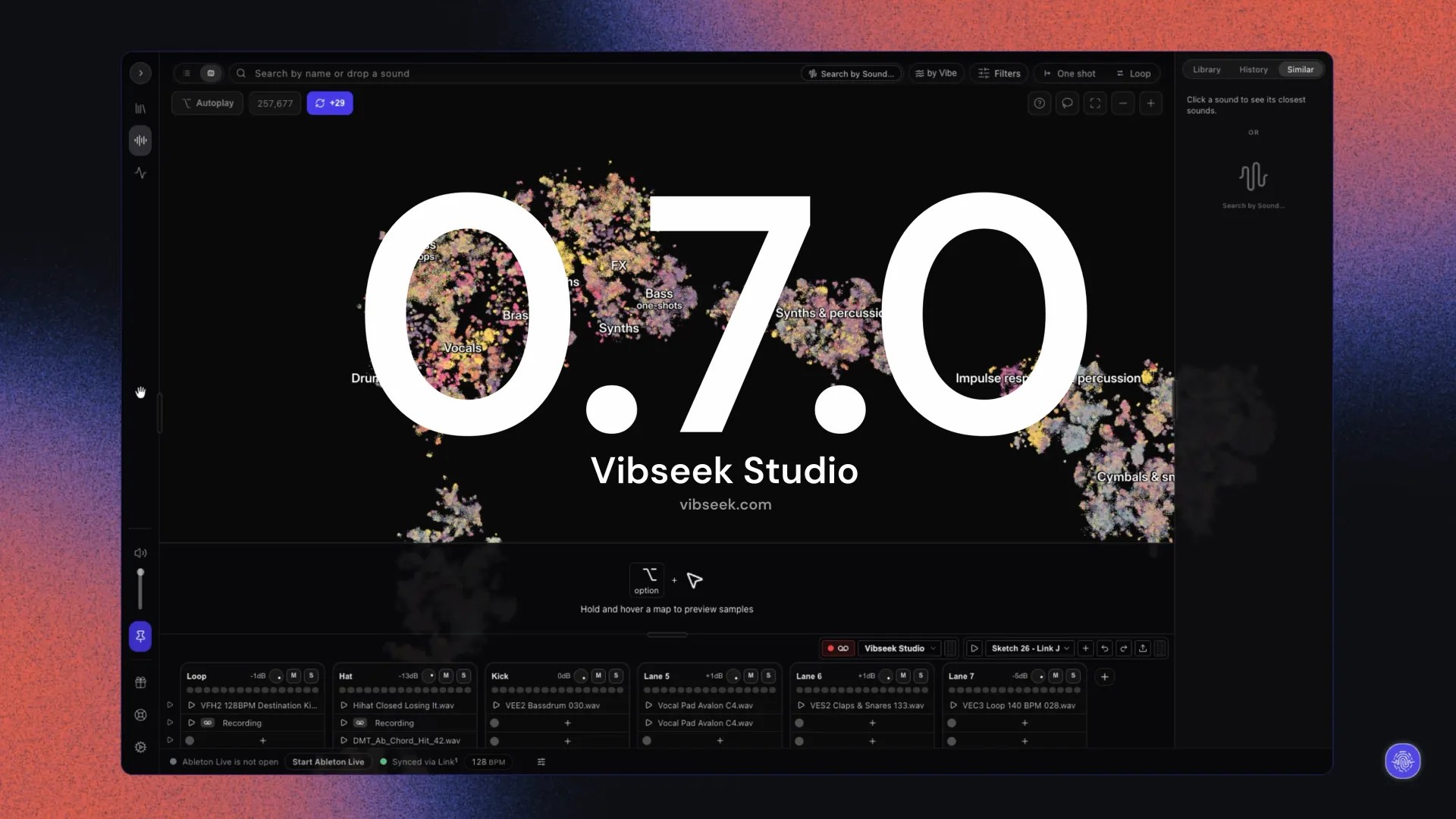
Vibseek Studio
Vibseek Studio is for music producers.
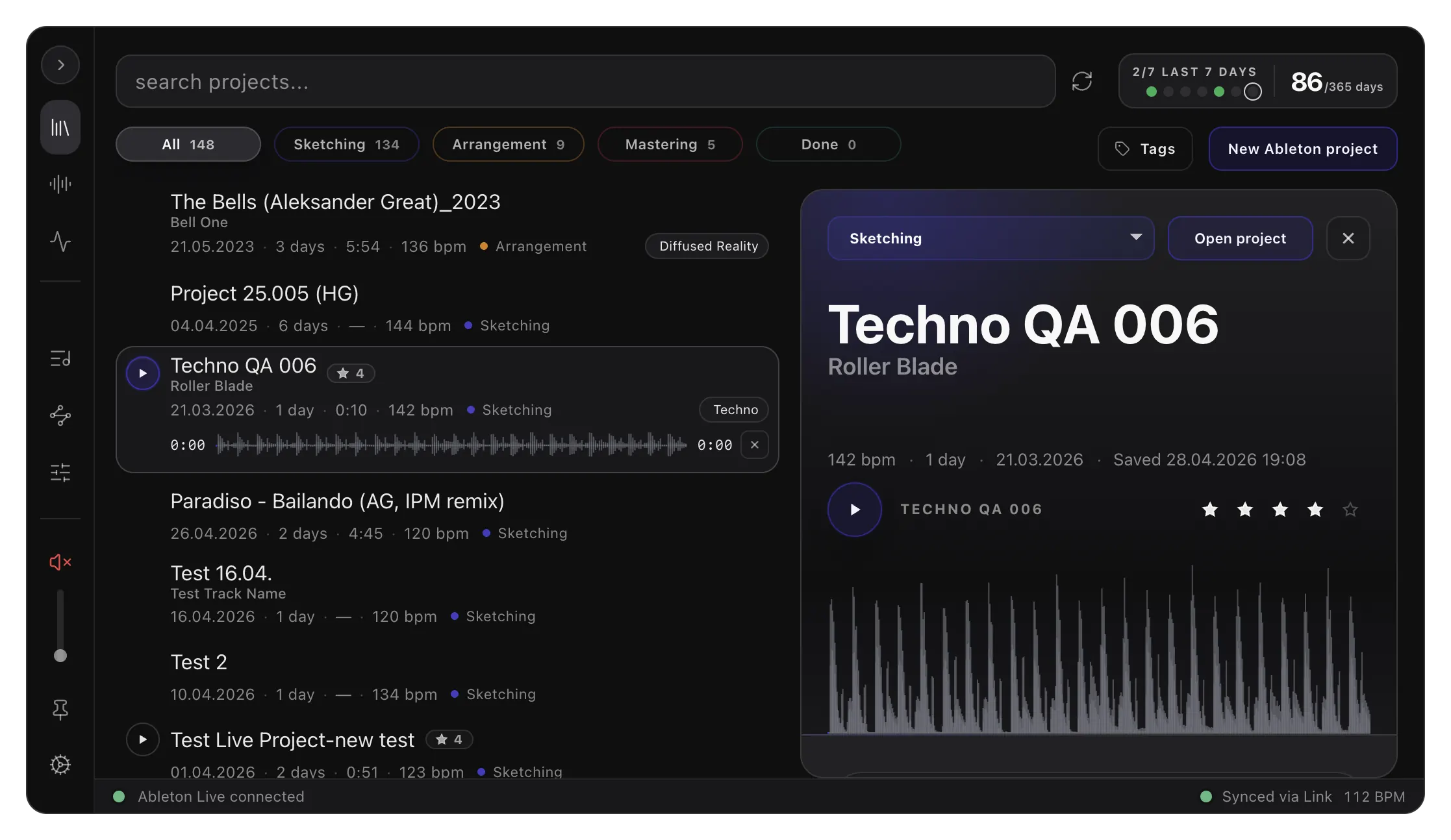
It is local software that helps organize DAW projects, manage samples, and bring more structure to the production process. The goal is simple: help producers do more with what they already have and finish more music they believe in.
Studio is not trying to replace the DAW. It is designed to work alongside the DAW and support the workflow around it.
Vibseek MusicMapper
Vibseek MusicMapper is for DJs.
It helps DJs better understand and rediscover the music they already have locally, making it easier to find matching tracks for a set and navigate a personal library with more confidence.
For many DJs, the challenge is not a lack of music. It is that their collection has grown faster than their ability to fully understand it. MusicMapper is meant to help close that gap.
Why These Products Belong Together
Many DJs also produce. Many producers also DJ.
That overlap is important.
We do not see these as unrelated products. We see them as different entry points into the same bigger mission: helping artists build clearer taste, stronger workflow, and more intentional output.
A DJ's library says something about musical identity. A producer's projects, samples, and habits say something too. Over time, both workflows can benefit from better musical intelligence, better mapping, and better recommendation systems grounded in what an artist already responds to.
That shared foundation is one of the reasons Vibseek exists as a brand, not just as a single tool.
Where Vibseek Wants To Go
Our long-term vision is not to make artists more dependent on automation.
It is to build an ecosystem of tools that helps DJs and producers turn taste, ideas, and references into real creative progress.
In the future, that could mean smarter help around discovery, organization, creative direction, and surfacing the right material at the right moment. But the principle stays the same: the artist remains in control.
We want Vibseek to become a trusted creative companion, one that helps people make more music they actually love, instead of overwhelming them with more noise.
What We Believe About AI In Music
We do not think the best use of AI in music is replacing the artist.
We think the more meaningful opportunity is to support decision-making, reduce friction, and help artists stay closer to their own taste.
For Vibseek, AI should make the workflow more intelligent, not make the work less personal.
That means helping people organize chaos, find patterns in what they already love, and move from intention to output with less wasted energy.
Who Vibseek Is For
Vibseek is for DJs and producers who care deeply about their craft.
It is for people who want better tools, but do not want to give up authorship.
It is for artists who want help becoming more organized, more consistent, and more connected to their own creative identity.
Conclusion
Vibseek is still early, but the direction is clear.
We are building tools for DJs and music producers to understand their taste, organize their workflow, and create more music they actually love.
Today that starts with products like Vibseek Studio and Vibseek MusicMapper. Over time, it grows into a broader ecosystem built around musical identity, creative momentum, and artist control.
If that vision resonates with you, you are exactly the kind of artist Vibseek is being built for.